
Integration with Azure Active Directory
Azure Active Directory uses the SAML protocol, which is an open protocol for authentication and authorization between two parties: the Identity Provider and the Service Provider. To configure the platform integration with an ADFS/SAML login, contact the customer's own IT administrator to request the Azure Active Directory activation.
What you can do:
 Create a new application
With the service activated, go to Business Applications > New application. Select the Nonexistent application option in the gallery and enter a name for the application, for example wso2, and click on Add.
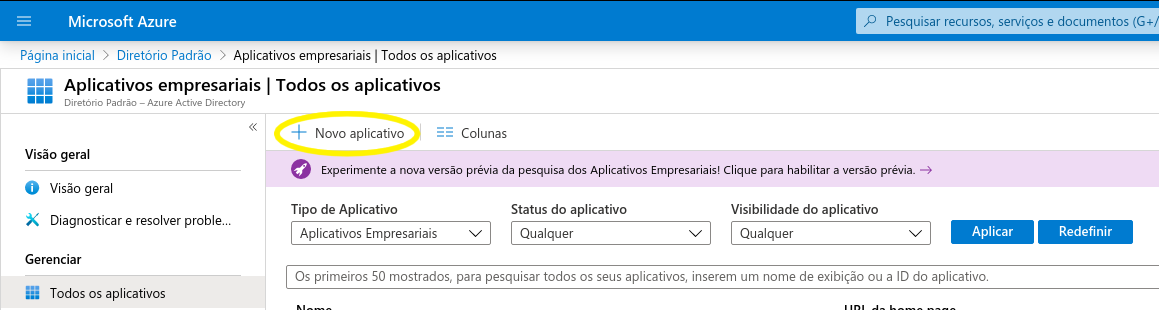
Configure the SSO
- Access the created application and click on the Configure single sign-in option;
- In Basic SAML Configuration, enter the following properties:
- Identifier (Entity ID): wso2 (same value used in the configuration of the Id tenant of the Service Provider entity);
- Response URL (Service URL of the Claim Consumer): https://platform.senior.com.br:9443/commonauth.
- In User Attributes and Declarations, click on the edit icon, and select the Unique User Identifier (Name ID) attribute to return only the user (no domain).
- In the Source field, change the option toTransformation and click on the Edit icon. Select transformation Extract() / Before match, and enter Parameter 1 (Input) as user.userprincipalname and value @.
Note
It is important to save the Login URL, Azure AD Identifier, and Logout URL information to configure the tenant on senior X Platform.
Configure Tenant
- Go to Technology > Administration > Tenant Management > Configure;
- Select the desired tenant and click on Configure;
- In the Authentication tab, select the SAML authentication option and make the following adjustments in the SAML Settings section:
- SAML request redirect URL: https://platform.senior.com.br:9443/auth/LoginWithCodeServlet;
- Identity Provider entity ID: Azure AD identifier (e.g. https://sts.windows.net/a5a8c8ff-1089-4b1e-85c7-629d9c7f50ba/);
- Service Provider entity ID: Identifier (Entity ID) configured in Azure (ex: wso2);
- URL to log in: Login URL provided by Azure. (ex: https://login.microsoftonline.com/a5a8c8ff-1089-4b1e-85c7-629d9c7f50ba/saml2);
- URL to log out: Logout URL provided by Azure. (ex: https://login.microsoftonline.com/common/wsfederation?wa=wsignout1.0);
- Claim that defines the user's username: the URI of the username claim returned by SAML, the same one configured in Azure. (e.g. http://schemas.xmlsoap.org/ws/2005/05/identity/claims/name);
- Claim that defines the user's email: the URI of the email claim returned by SAML, the same one configured in Azure. (e.g. http://schemas.xmlsoap.org/ws/2005/05/identity/claims/emailaddress)
- ;Claim that defines the user name: the URI of the username claim returned by SAML, the same one configured in Azure. (e.g. http://schemas.xmlsoap.org/ws/2005/05/identity/claims/givenname)
- ;Role that will be defined for new users: which initial role will be defined for users the first time they log in using the SAML/ADFS integration, even if configured on the ADFS server.
WSO2 API Manager Configuration (Senior)
This configuration is done by default, being only necessary when an error occurs with the Callback URL, only Senior can change this information.
- Access the WSO2 Tenant store at https://[domain]:[port]/store/?tenant=[tenantdomain] (example: *https://platoform.senior.com.br:39443/store/?tenant=saml.com*);
- Log in with the tenant administrator user;
- Select My Applications and verify the defined application;
- Set the value of the Callback URL property to https://[domain]:[port]/auth/LoginWithCodeServlet (e.g. *https://platform.senior.com.br:39443/auth/LoginWithCodeServlet*).



