Integration flow
The Integration Flow provides data processing concepts, called actions, allowing a high level of customization in the development and maintenance of integration processes.
What can be done through the Integration Flow:
- Provide REST Services;
- Run scheduled tasks;
- Perform file readings;
- Perform conversions: String to Json, Json to XML, XML to Json, etc;
- Generate Excel spreadsheets and other reports;
- Send emails;
- Execute Java codes.
 Integration Flow Listing
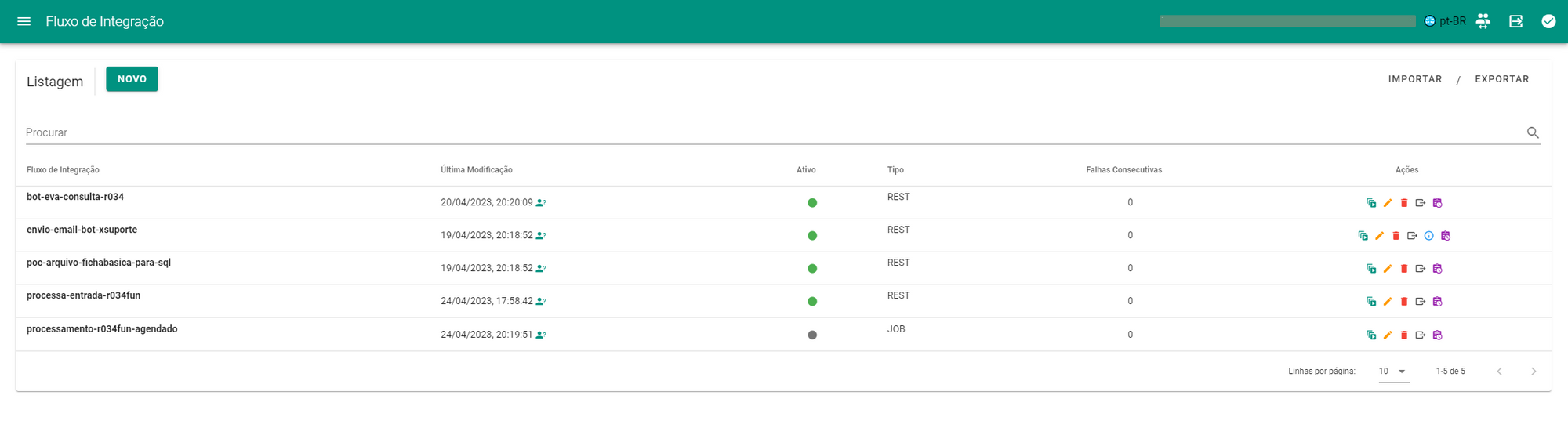
The list screen displays all Integration Flows in the environment, allowing users to view the Method Name (equivalent to the endpoint generated for the integration call), last modification date, active integration indicator, activation mode type and consecutive failure counter in the last executions.
In the actions tab, you can start processing the flow, go to the editing screen, delete the record, export (for backups or migration) or navigate to the integration monitoring screen.
Creating an Integration Flow
REST Flow
Provides an endpoint that can be called by external systems.
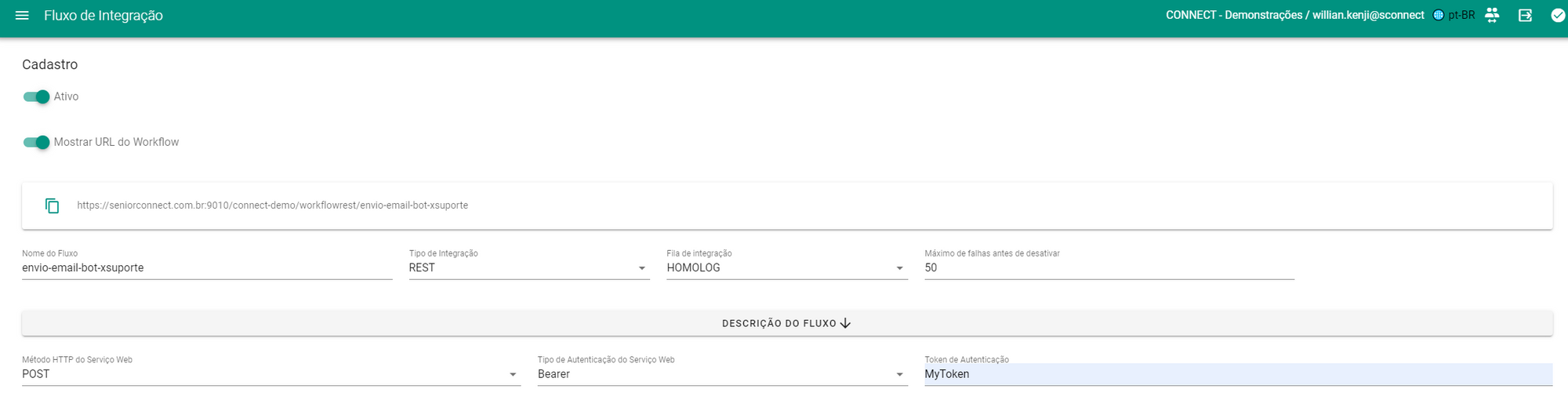
Available fields and their respective functionalities:
- Active: Defines whether the endpoint can be called;
- Show URL: Displays the endpoint URL that calls the Integration Flow;
- Flow Name: Endpoint identifier;
- Integration Type: REST;
- Integration queue: Execution context within the environment, scope of processing queues;
- Maximum consecutive failures: Sets the maximum number of consecutive failures before sending an instability notification (seeNotifications);
- Flow Description: Text editor that allows you to create documentation and contextualizations related to the Flow;
- Web Service HTTP Method: Integration Flow call request method;
- Web Service Authorization Type: None (public), Bearer (hardcoded) or Basic Auth (associated with a Platform Credential record);
- Authentication Token: Token or Credential to be associated with the Web Service Authorization Type.
Scheduled Flow (JOB)
Available fields and their respective functionalities:
- Active: Defines whether the endpoint can be called;
- Flow Name: Endpoint identifier;
- Integration Type: JOB;
- Integration queue: Execution context within the environment, scope of processing queues;
- Flow Description: Text editor that allows you to create documentation and contextualizations related to the Flow;
- CRON Scheduling: Code with 6 parameters that define the periodicity of the integration according to [http://www.quartz-scheduler.org/documentation/quartz-2.3.0/tutorials/crontrigger.html](http://www.quartz-scheduler.org/documentation/quartz-2.3.0/tutorials/crontrigger.html)
- Maximum consecutive failures: Sets the maximum number of consecutive failures before sending an instability notification (seeNotifications).

Actions
Actions are the pieces that make up an Integration Flow and represent abstractions of procedures such as: web service calls, queries and changes to databases, sending emails, replacing content, concatenating data, among others. To carry out operations that are not provided for in theNative actions there is theExecuteJavaAction, responsible for interpreting Java code during the execution of the Integration Flow.
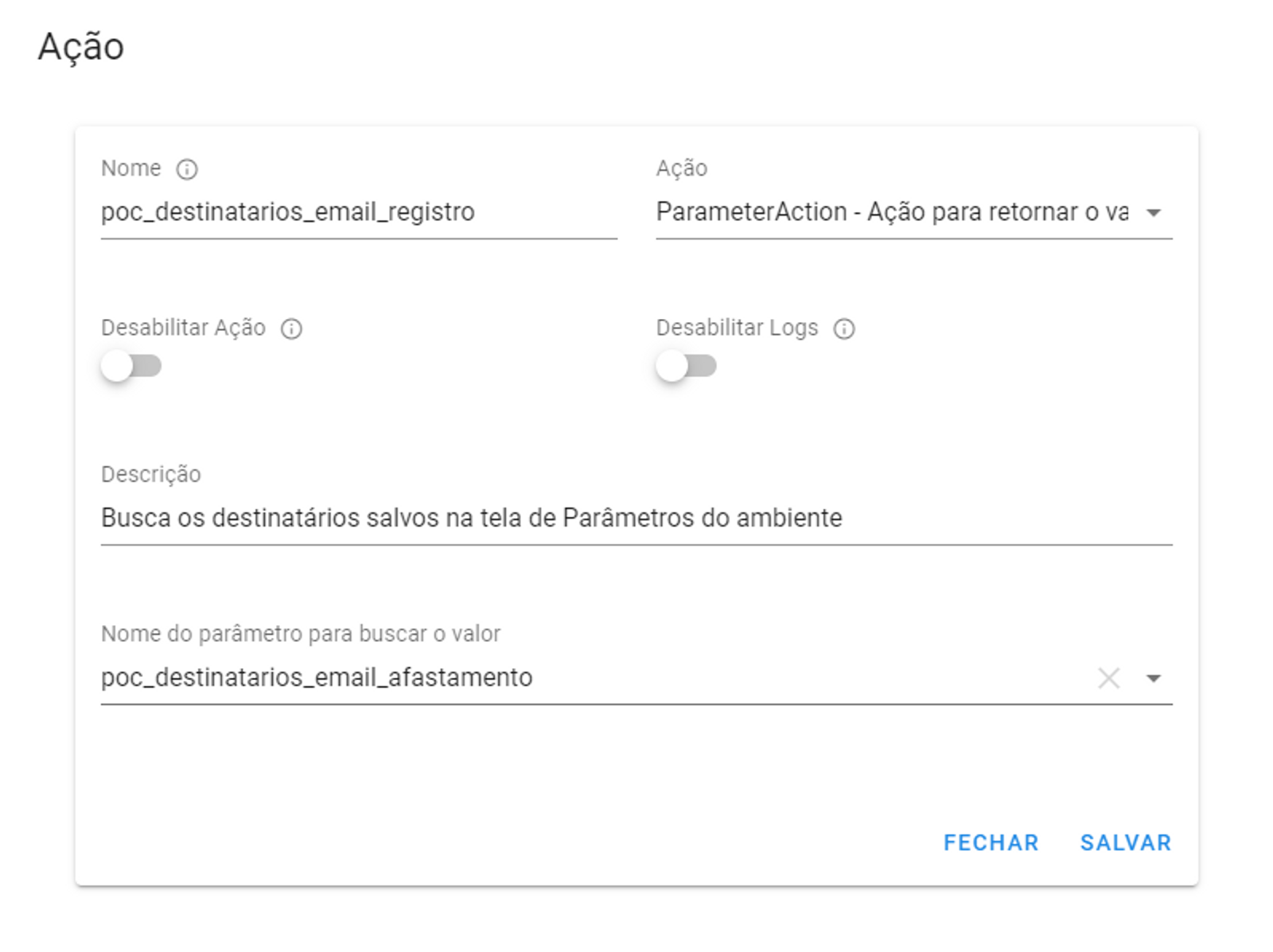
Each Action is configured in a way that is indicated by the interface, but they all share the following fields:
- Name: Action Identifier, used to reference yourvalue at other points in the Flow execution context;
- Action: Action Type Identifier accompanied by a description of the processing. The field has search/auto-completion functionality.
- Disable Action: Skips processing of this Action;
- Disable Logs: Does not write the processing details of this Action in the Monitoring Panel (seeMonitoring);
- Description: Field to describe the purpose of this Action in the Flow, displayed inStock Flow while editing a Flow;
- Custom fields: According to each Action.
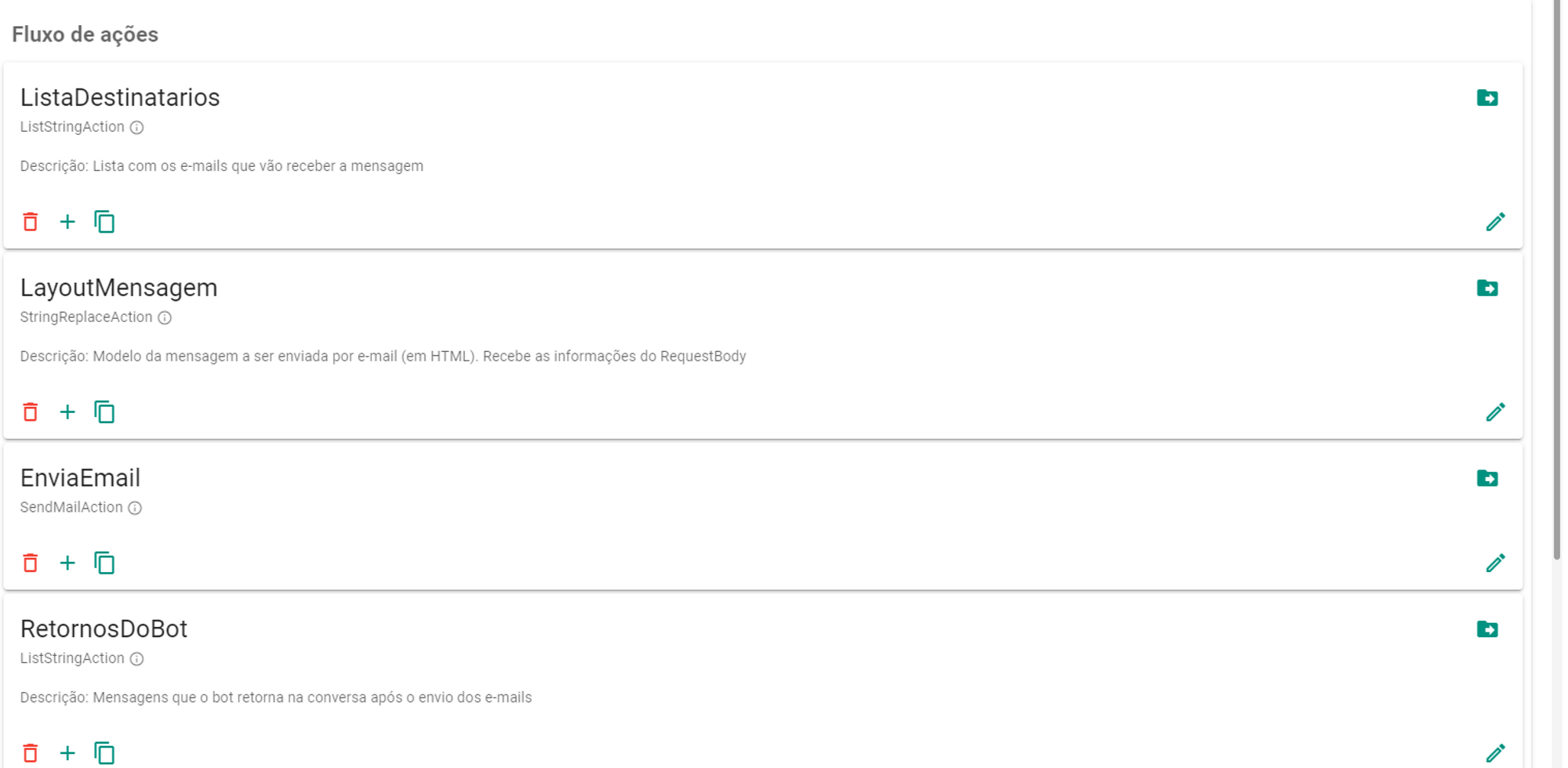
Stock Flow
Displays the sequence of Actions that will be processed at a given level (or indentation) of the Integration Flow.
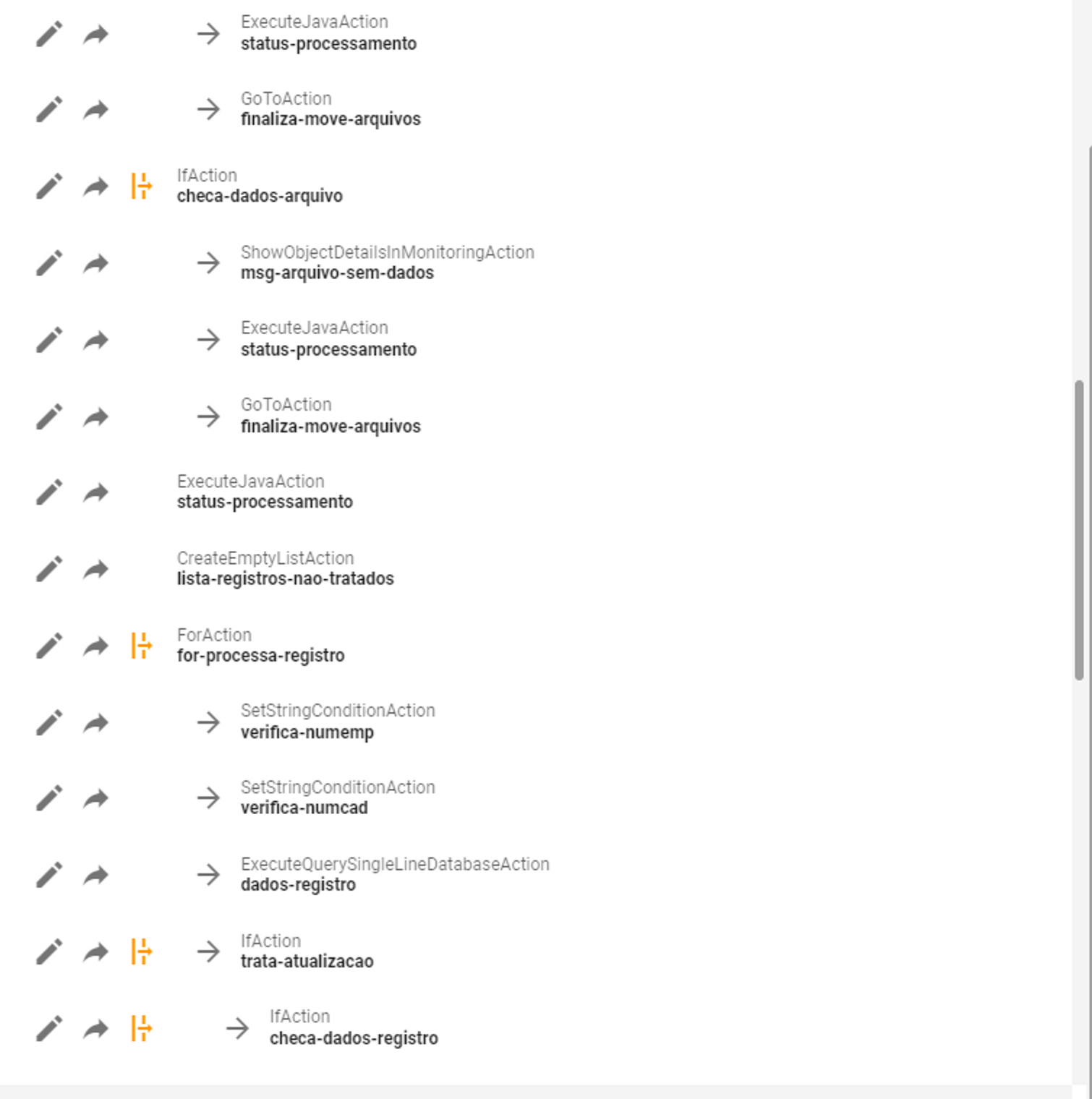
Action map
Displays an overview of the Integration Flow, indicating all theAlternative Flows (indentations in execution) associated withConditional Actions or Iterative Actions.
Replace Concept
During integration flows, it is possible to reference the values of other Actions that have already been executed so far in the context of the integration. For example, aExecuteQueryDatabaseAction.
Additionally, the integration context can also access the values of the received request body (RequestBody), call headers, and URL parameters through thecontext objects:body,headers andparams, respectively.
Text value reference
All text fields on the platform that allow dynamic reference of values will have the following descriptor:
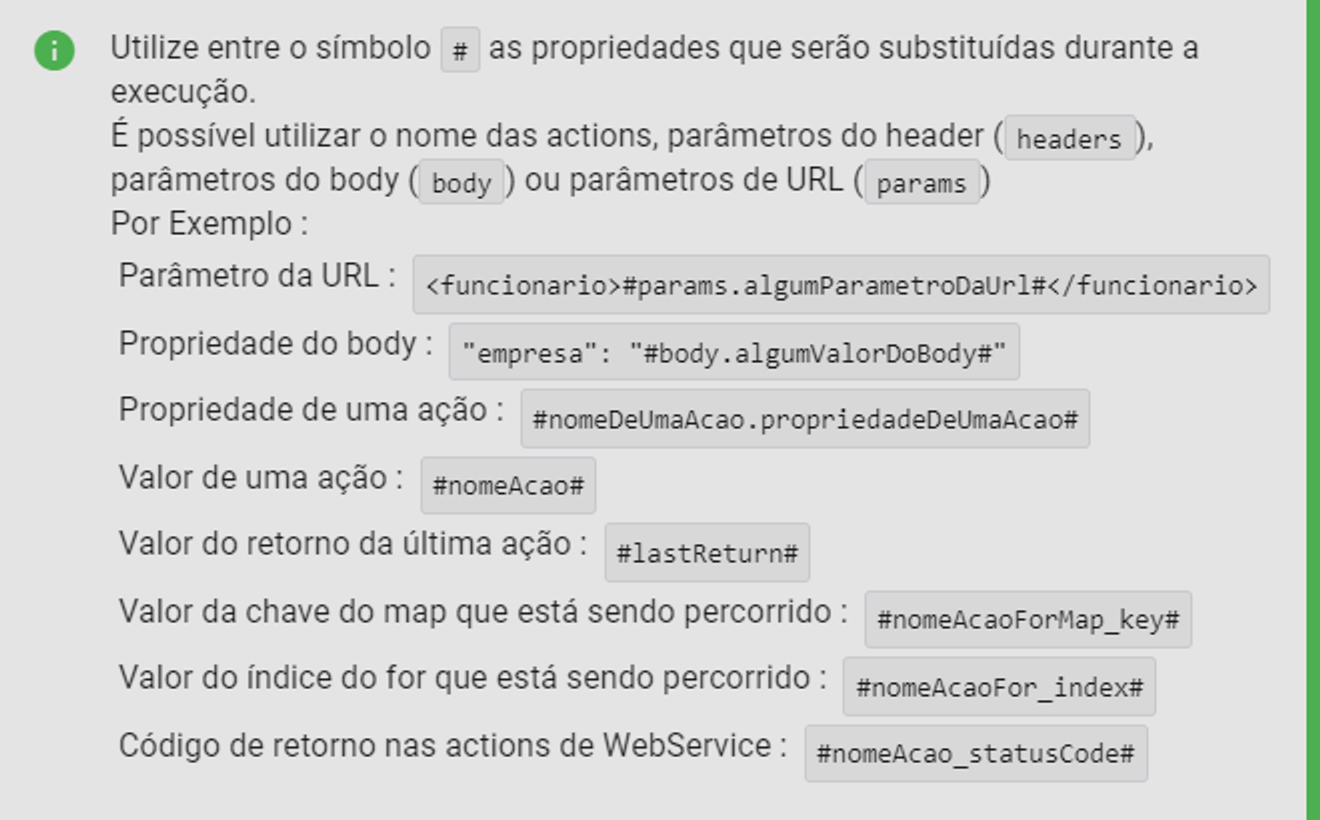
The text between the symbols# will indicate which Action or field of an Action (if it has a value of the Object type) has the value to be used during execution time.
The value is replaced at runtime in text form occupying the space identified by the # symbols. For example, if we configure an ExecuteQuerySingleLineDatabaseAction as follows:
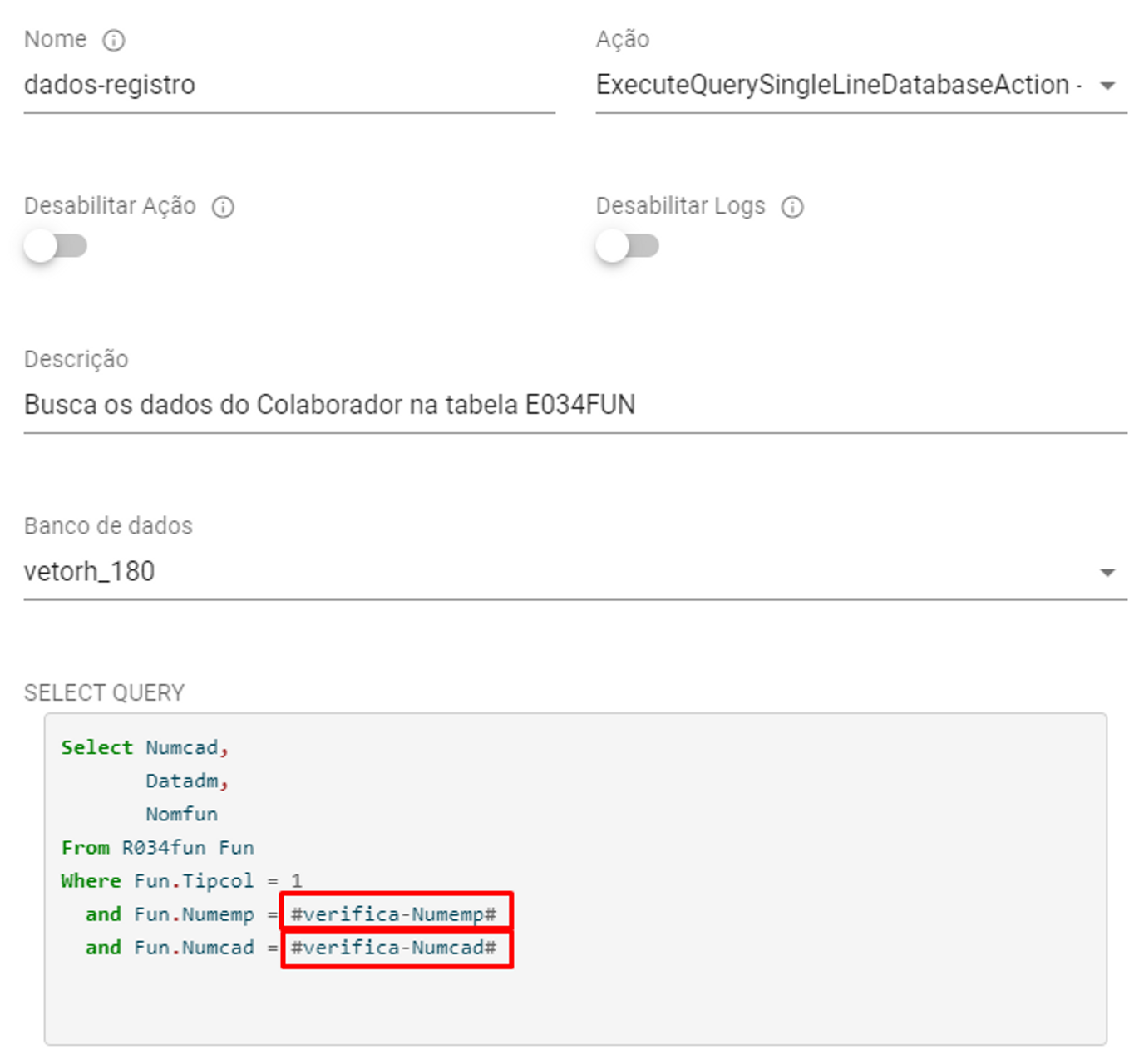
We assume that the Actionscheck-numemp and check-numcad exist in the integration and were executed before our query, as follows:
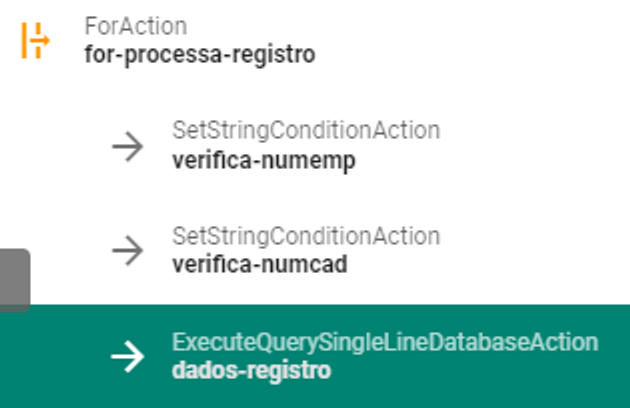
In this way, thequery resulting:

If the referenced Action does not exist (or was not executed during the integration execution context), the result of the replacement will beempty and may result in integration errors, for example, if the Action check-numemp did not exist we would have the following situation:
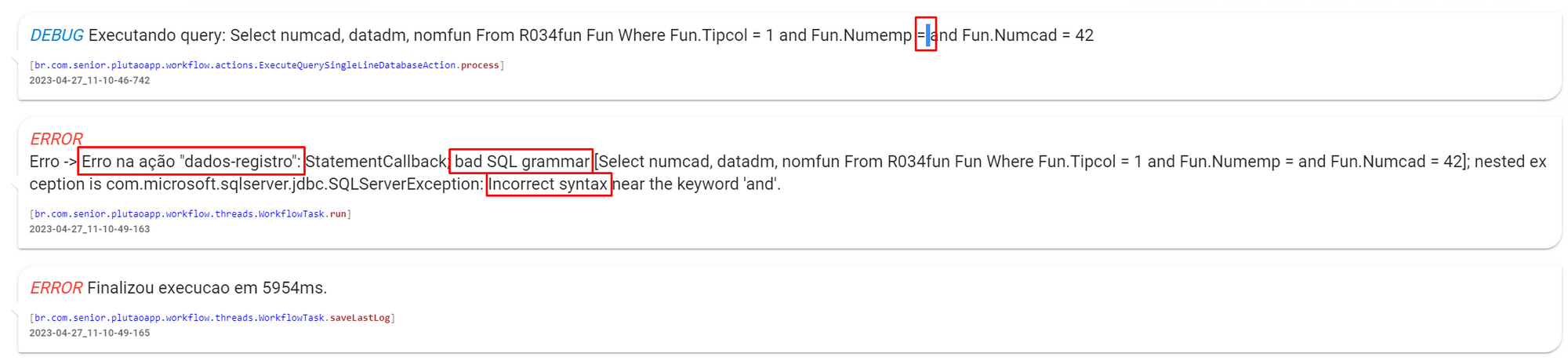
Value reference in object
In some types of Actions, such as conditionals, input fields will expect acondition assessment which can query the value in Object (String, Map, Integer…) of a given Action (or field of an Action) using the syntax get(identifier) or get(identifier).get(attribute).
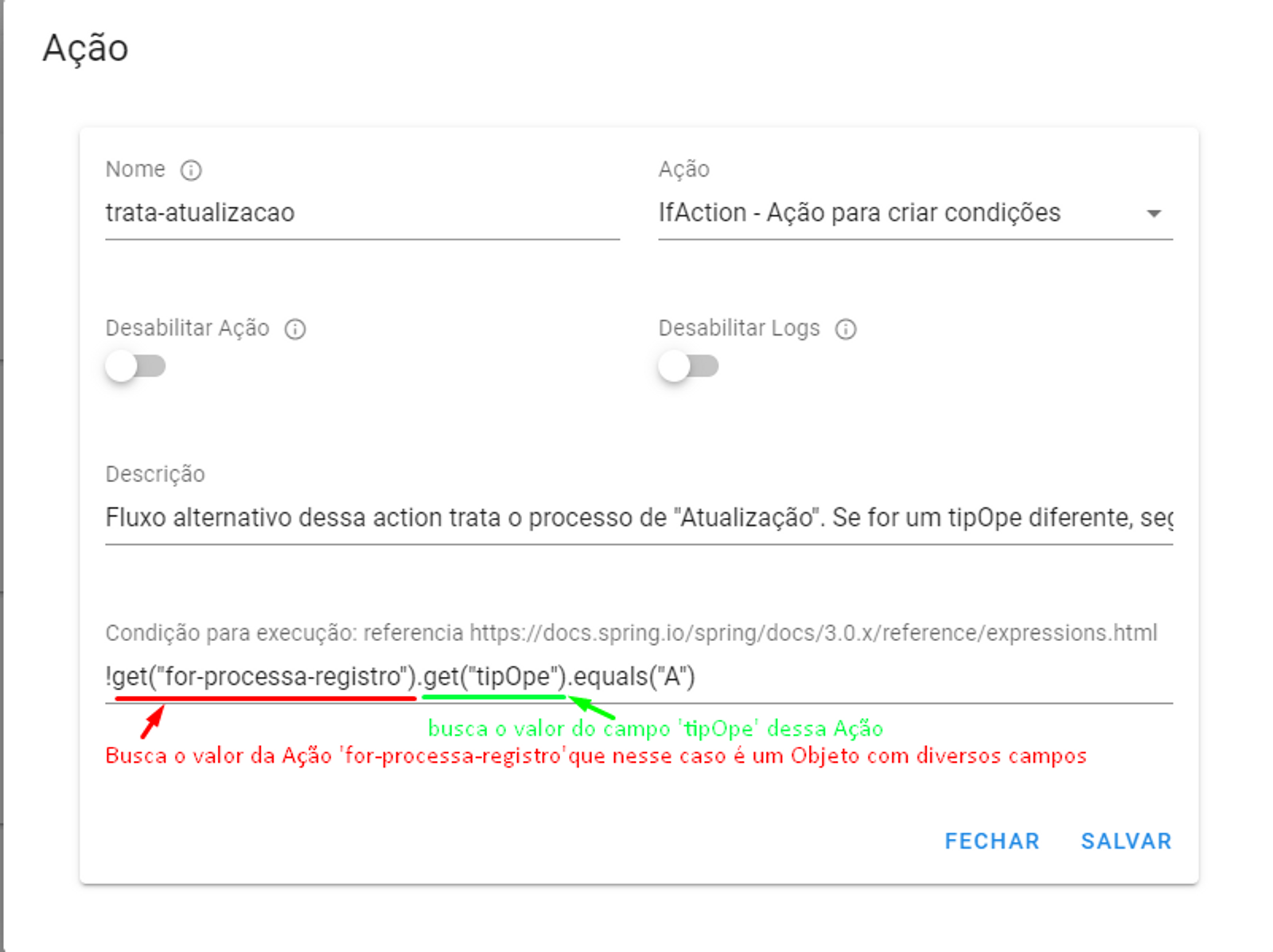
Alternative Flows
We call Alternative Flow any set of Actions executed only in certain situations. To access the Alternative Flow of an Action, simply click on the iconAlternative Flow located both in the Action Map and in the Action Flow. The Action Flow content will then display the Alternative Flow Actions accompanied by an indicator of which Action is executing these instructions.
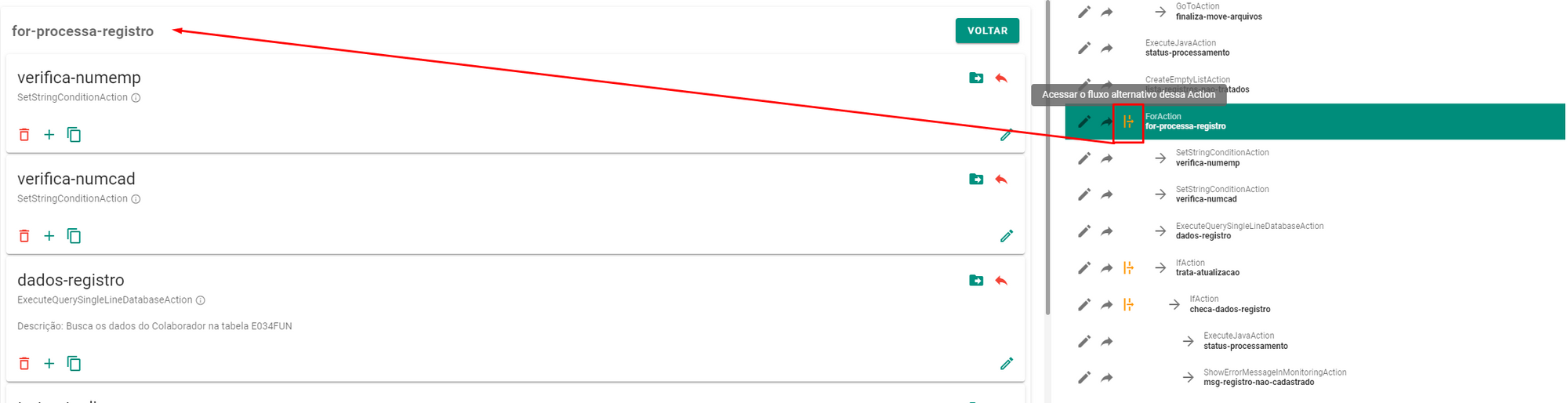
To return to the previous execution level, simply use the buttonTo go back or use the shortcut toLocation of the Action.
Iterative Actions
Actions of the typeForAction expect to receive an object of typeList and perform the procedures described in your Alternative Flow for each object in the input list. During the execution of the Alternative Flow, the object being iterated over can be accessed in the value of the iterative Action itself.
After all iterations are completed, the execution context goes to the Action that is after the Iterative (or “below” in the interface view.
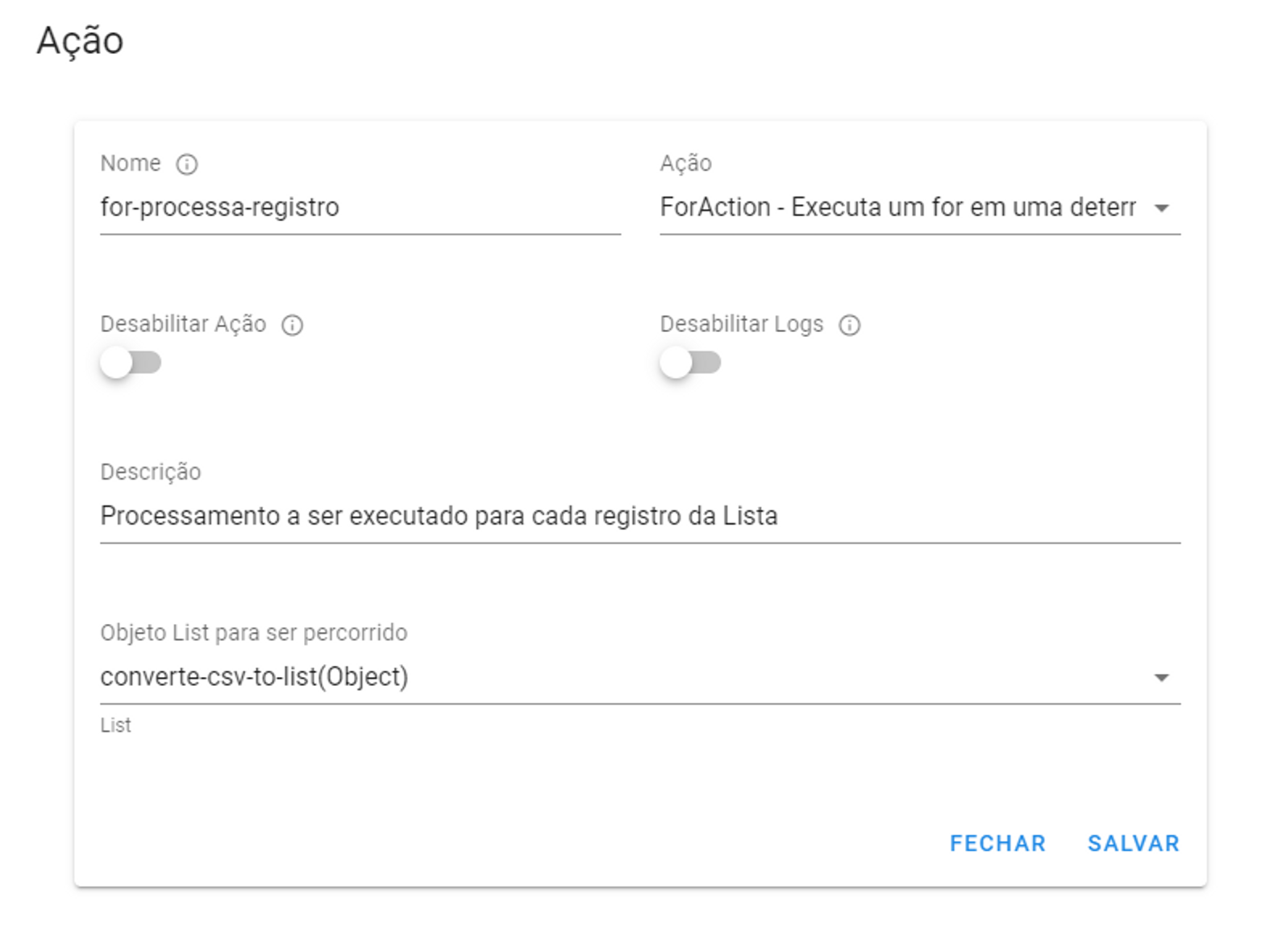
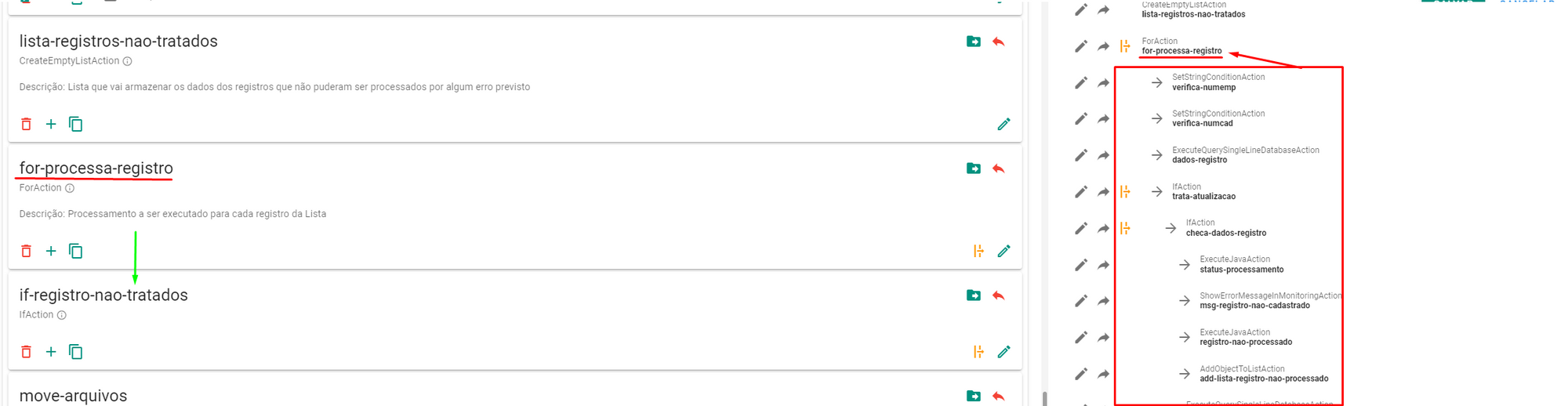
In the example above we can access the value of the object being iterated over infor-process-registration within your Alternative Flow, to do this simply reference the value of for-process-registration, as in the image of the Conditional Actions section where we have the configuration oftreat-update , a Conditional Action that is in the Alternative Flow of our Iterative Action.
Conditional actions
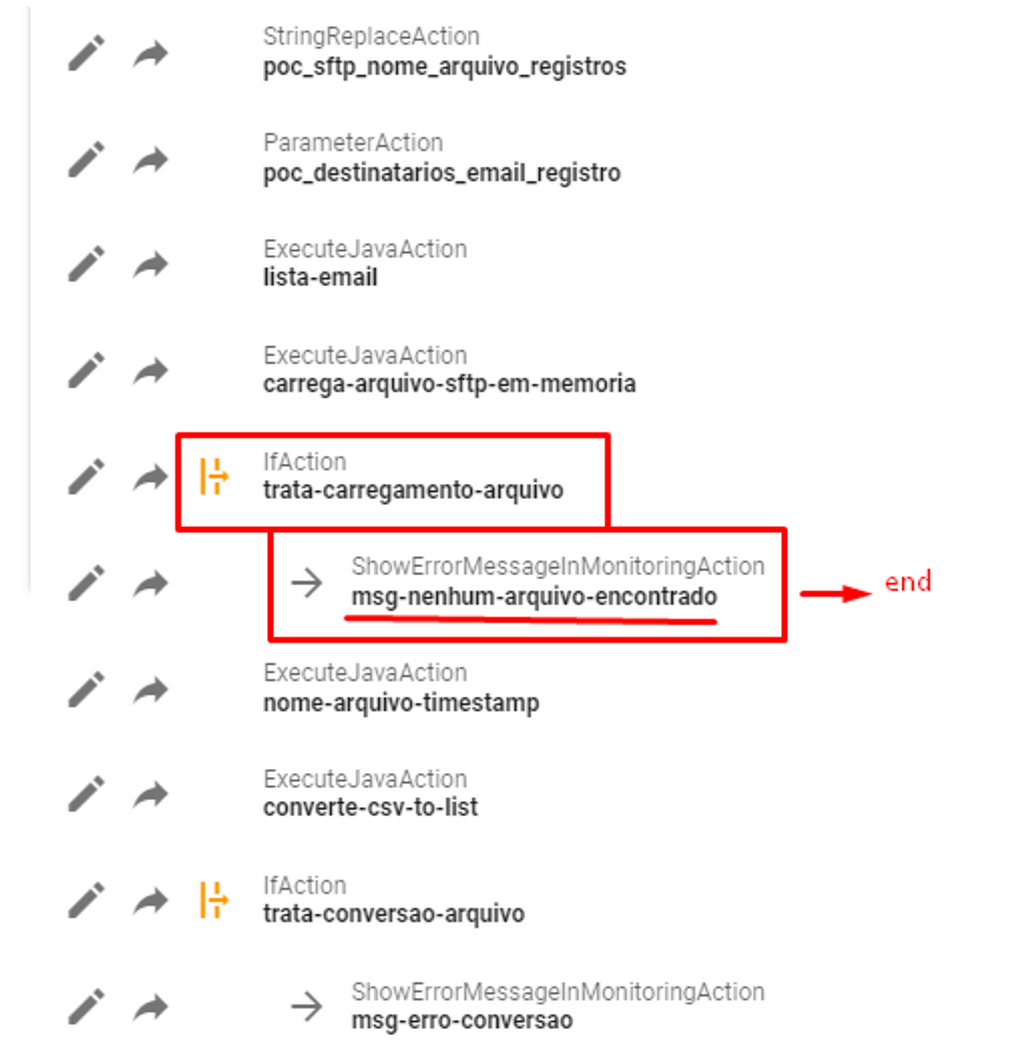
Actions of the typeIfAction evaluate a condition described in Java and process its Alternative Flow if the result is false. If the result of the expression evaluation returns true, the execution context goes to the next Action.
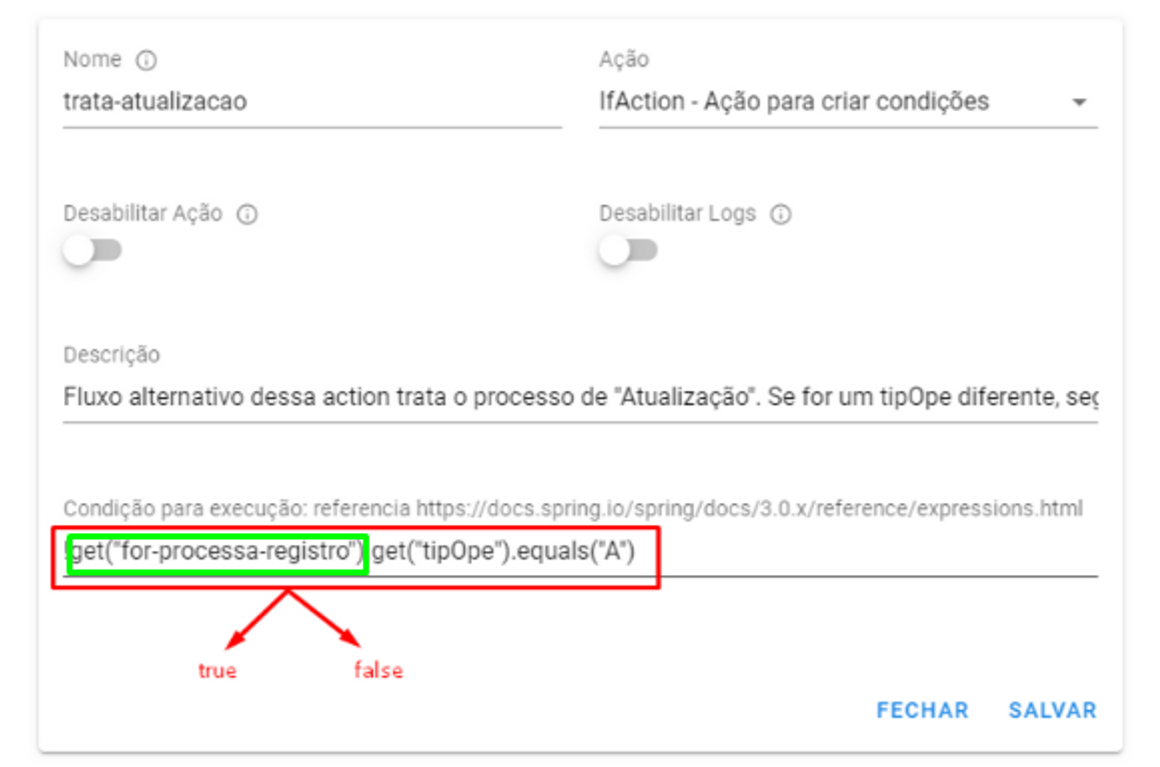
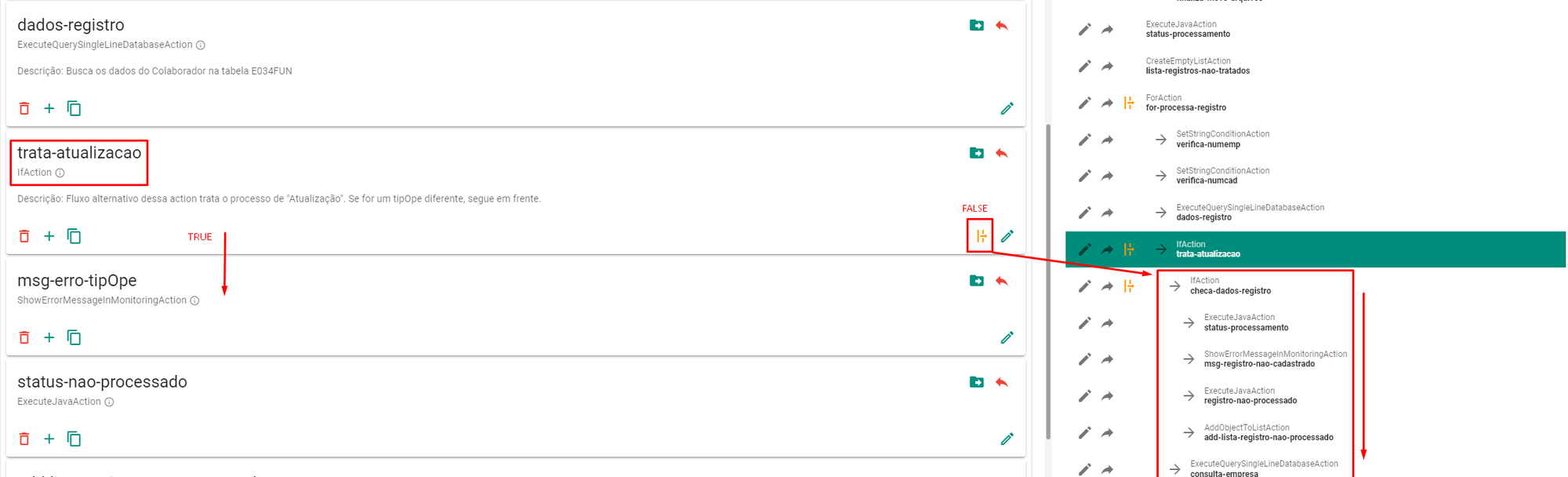
It is important to note that after the processing of an Alternative Flow of a Conditional Action is completed, the execution context of the “level” in which the IfAction was called is interrupted. This means that in the example above, iftreat-update returns false, your Alternative Flow will be processed and after that we go to the next iteration of our ForAction, without executing themsg-error-typeOpe and the following ones, since the execution context of this iteration was handled in IfAction. If the IfAction is outside an iteration (like in the root/main flow) the integration process will be terminated.
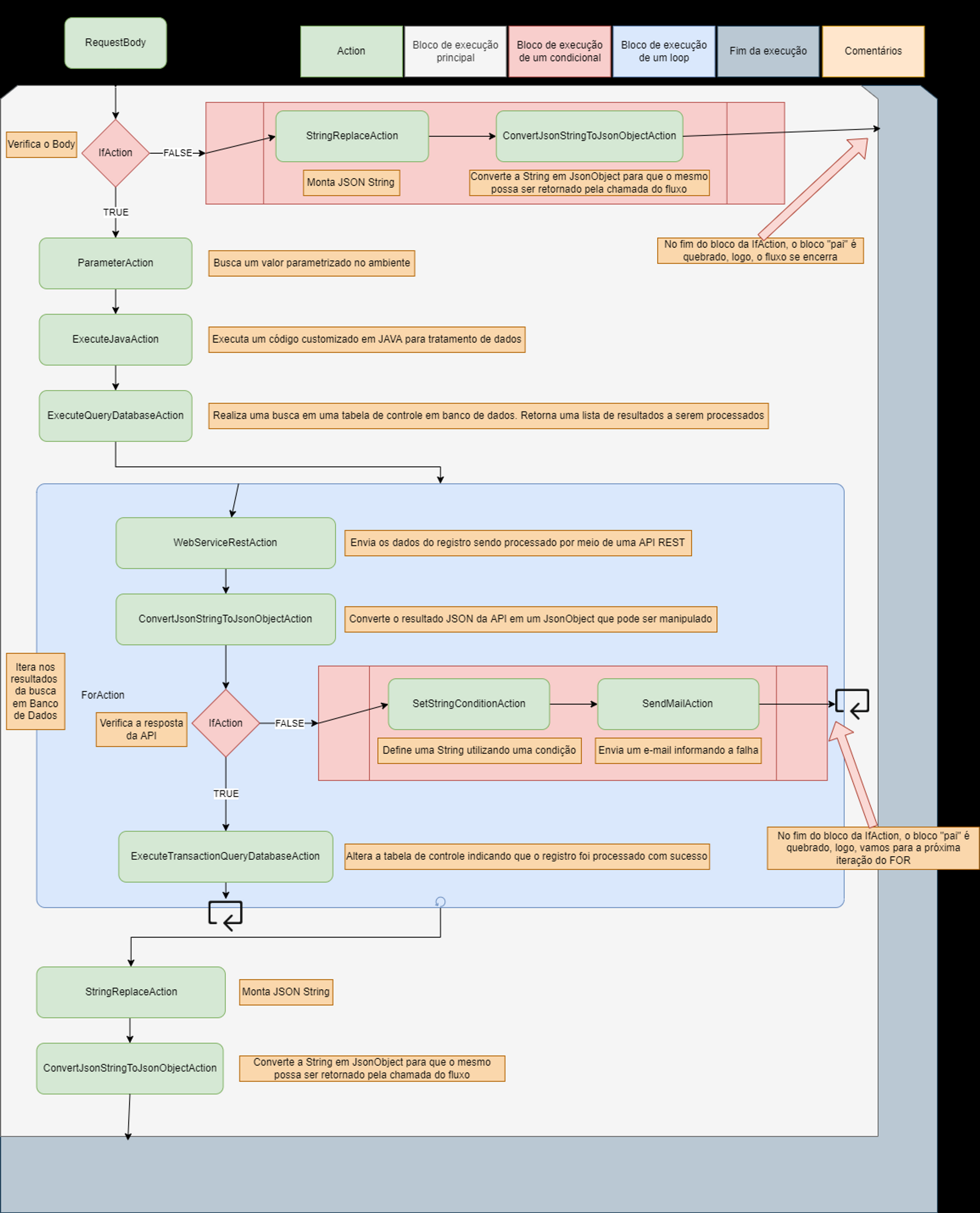
Below is a diagram that represents an example of Integration Flow processing:
Deviations in processing
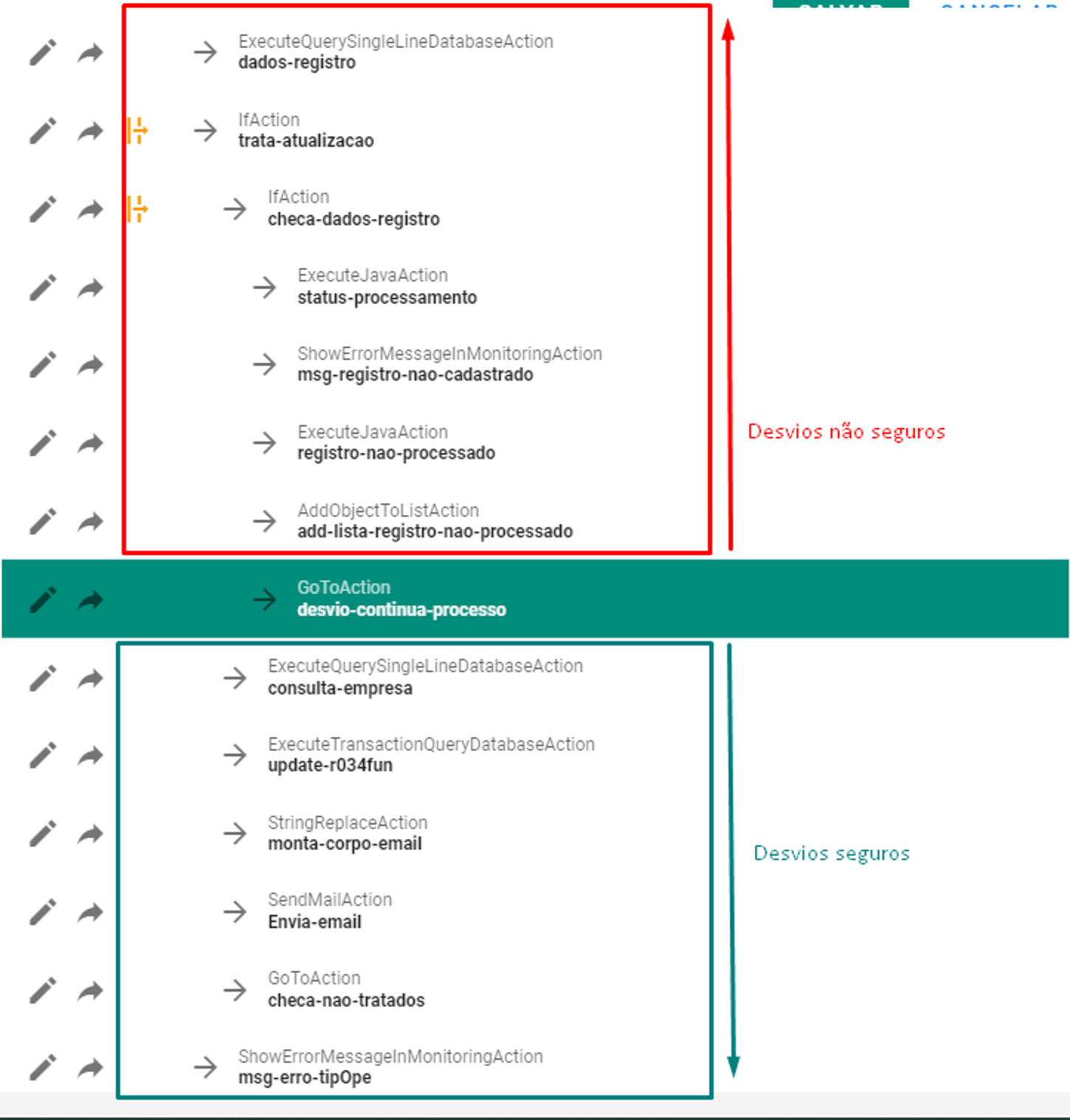
What to do when we want to continue integration processing after a conditional treatment? At the end of this conditional, we can insert aGoToAction, responsible for moving the flow execution pointer to any other Action, using the Action name as an identifier (be careful when creating multiple Actions with the same name). Care must be taken with the logic used in conjunction with this Action as it can generate infinite loops within a process. As a general rule, avoid making detours to Actions that are in the past in relation to the execution context. For example:
Java Actions
The ActionExecuteJavaAction provides a field for inserting a piece of Java code to be processed during the Integration Flow runtime.
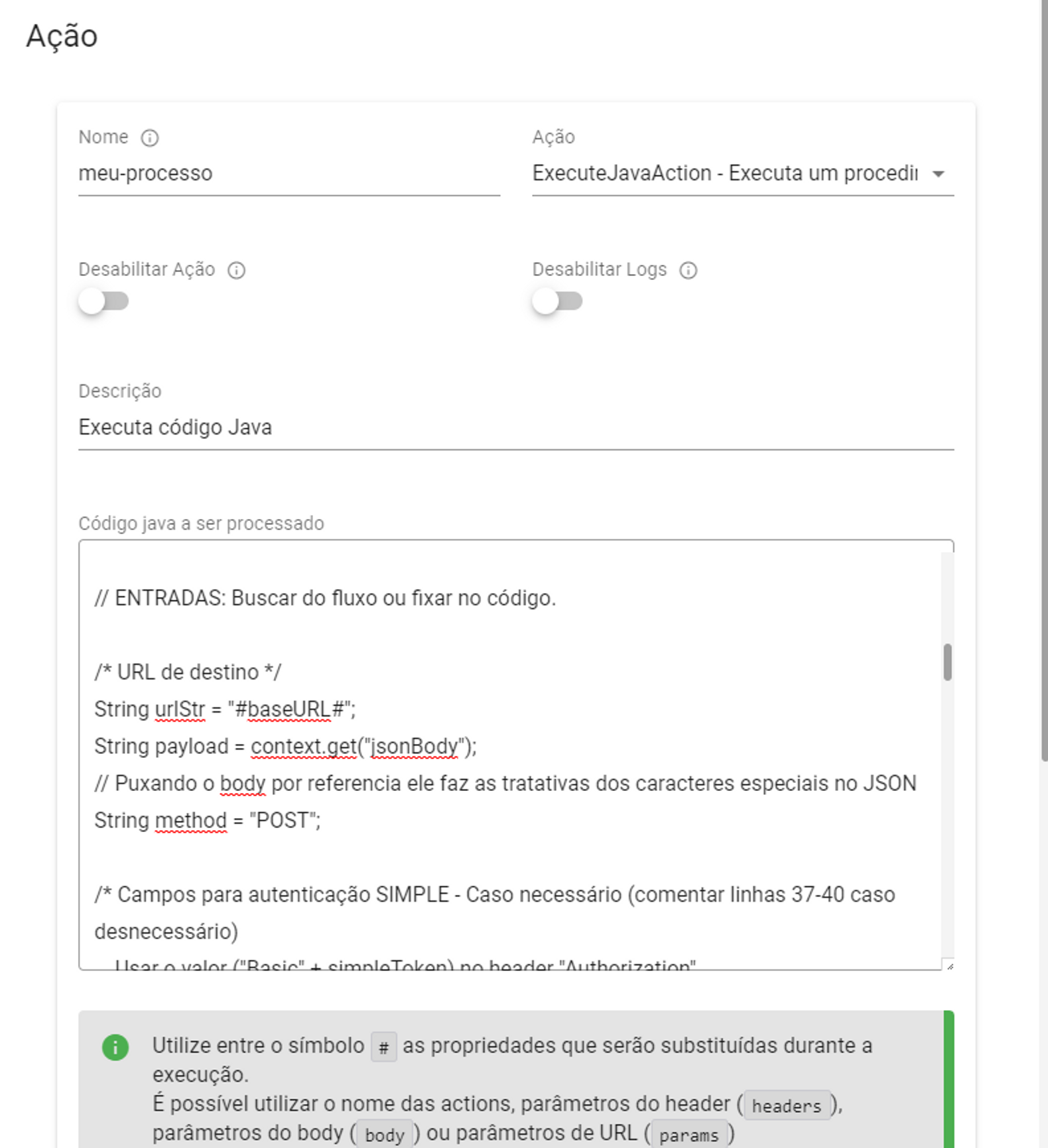
We can associate a Java Action with a method in the sense that when the interpreter identifies areturn in Java code, this value will be assigned to the Action (in the case of the image,my-process) in question for future reference within the context of Integration (get(my-process )). If the code does not have a return statement, the Action will have the value null.
Referencing Stock values in Java code
During the processing of a Java Action, it is possible to obtain values from the integration context using the methodreference by text value (using the # symbol) in the same way as in other Actions. THEvalue reference in object is similar, but must be used on a context object (called context) that the Java Action Interpreter already has.
For example: String urlStr = "#baseURL#"; and String urlStr = context.get(baseURL); will return the same information if the ActionbaseURL contains, in its value, information of the String type. Now let's say an Action calledmy-query, of the typeExecuteQuerySingleLineDatabaseAction, contains the result of a database query (represented in the integration context as a Map type Object). The correct way to reference it in Java code would be Map consulta = context.get(minha-query);:
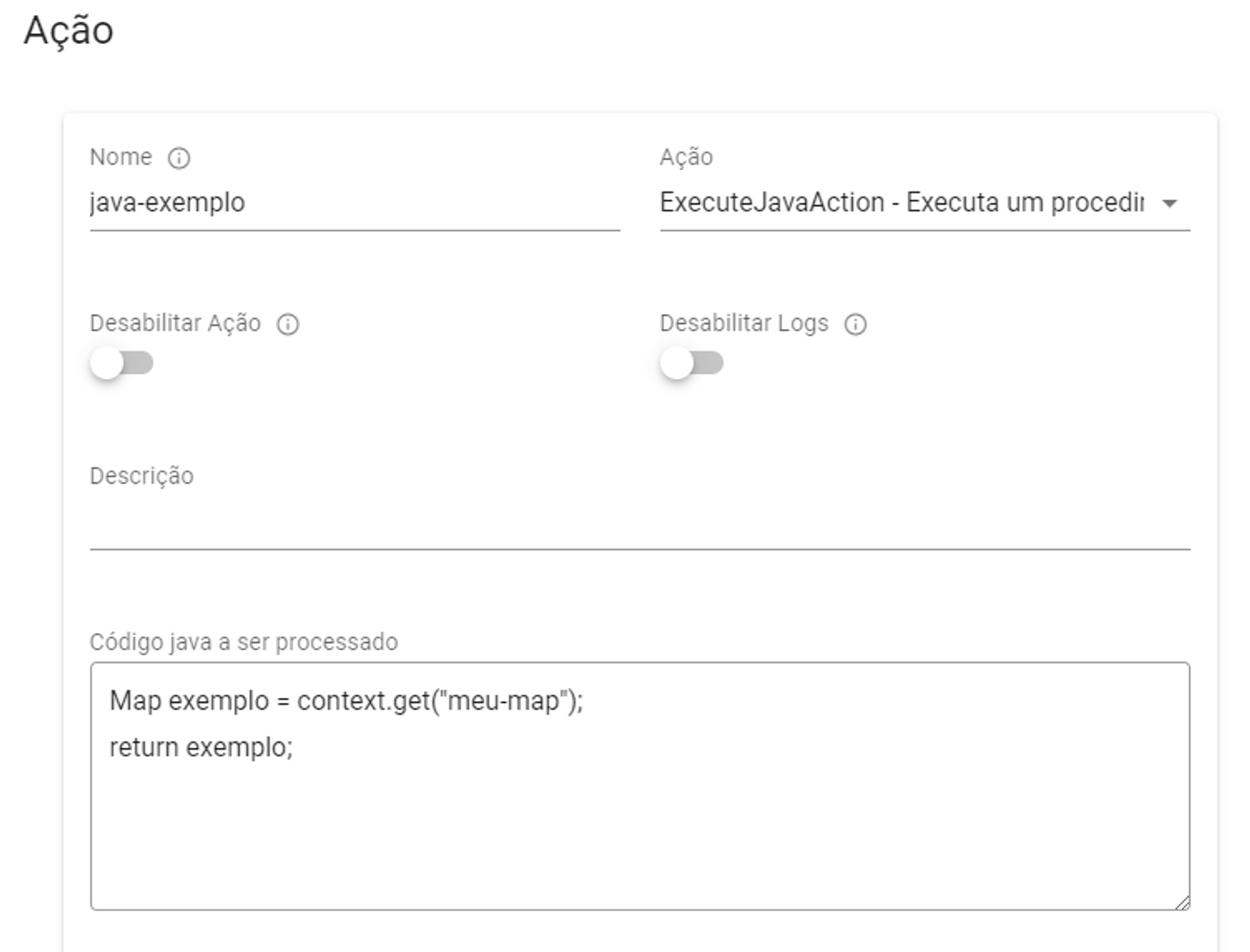
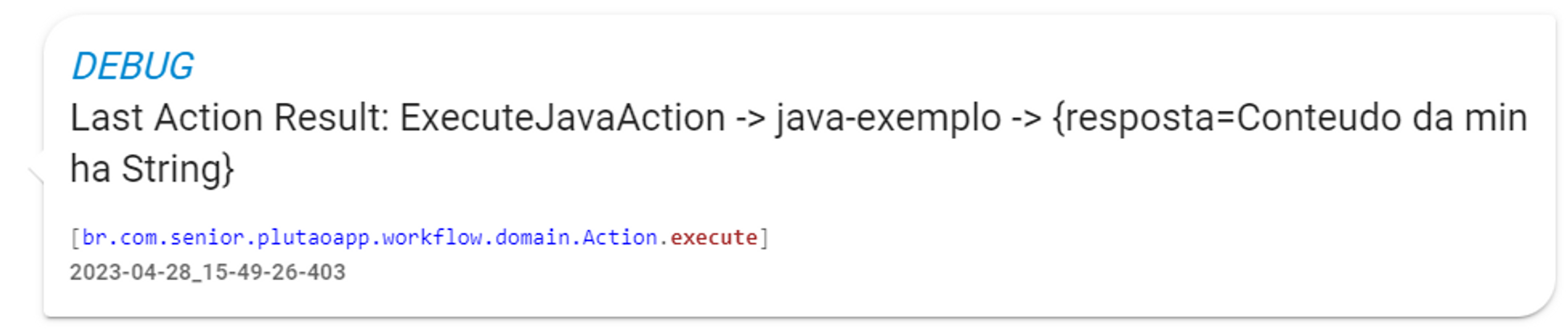
If the interpreter finds Map query = #my-query#; it would be like assigning a value of type String (text value reference) to an Object of type Map and this will result in an integration processing error.

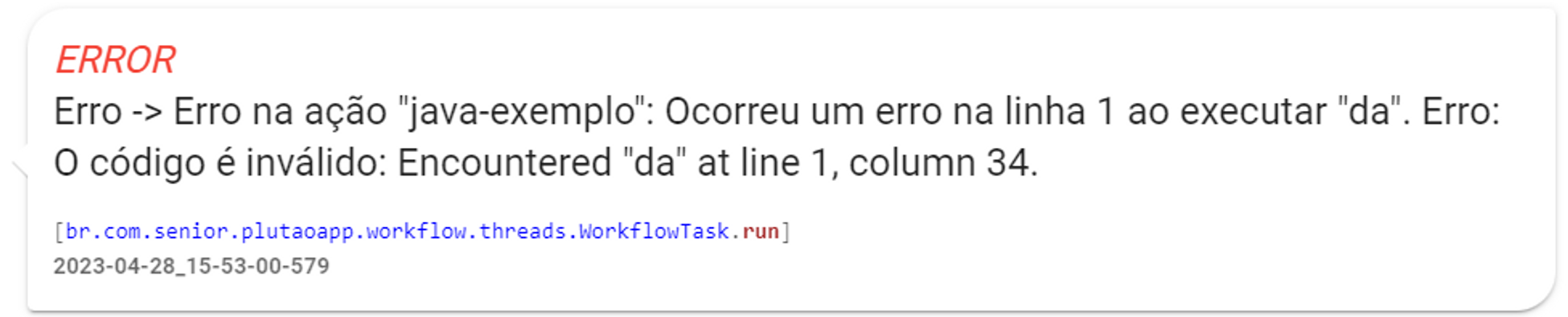
Because what was interpreted during processing was:
Map example = {answer=Content of my String};
return example;
Limitations of the ExecuteJavaAction Interpreter
The Integration Flows Java code interpreter currently does not support Arrow Functions and Generics.
Example:
String item = "TEXT";
List<String> myList = new ArrayList();
myList.put(item);
return myList;
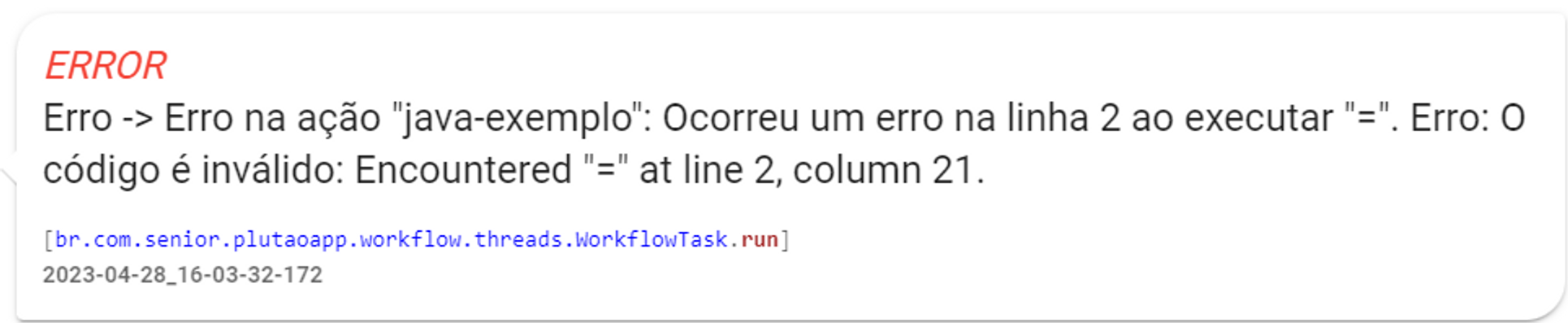
While:
String item = "TEXT";
List myList = new ArrayList();
myList.put(item);
return myList;

REST Integration Flows: Formatting the endpoint response
In REST flows, there are standard responses for situations where there is a processing error or in the request inputs (codes 4XX and 5XX) in the following format:
{
"timestamp": String,
"status": Number,
"error": String,
"message": String,
"path": String
}
Wheretimestamp has the formatYYYY/MM/DD HH:mm:SS:sss andpath indicates the integration endpoint that returned a given error inerror and detailing inmessage.
In case of successful processing (Status 200), CONNECT allows the response to be customized based on the value of the **last Action performed**. This way, the endpoint of an Integration Flow can directly return the value in text, a number or boolean, for example.
For the endpoint response to be in JSON format, the last value returned within the execution context must be of the Object/Map type. This object can be constructed with dedicated Actions likeCreateEmptyMap,AddObjectToMapAction,ConvertJsonStringToJsonObjectAction ,ExecuteJavaAction , among others.
Consider the following flow:
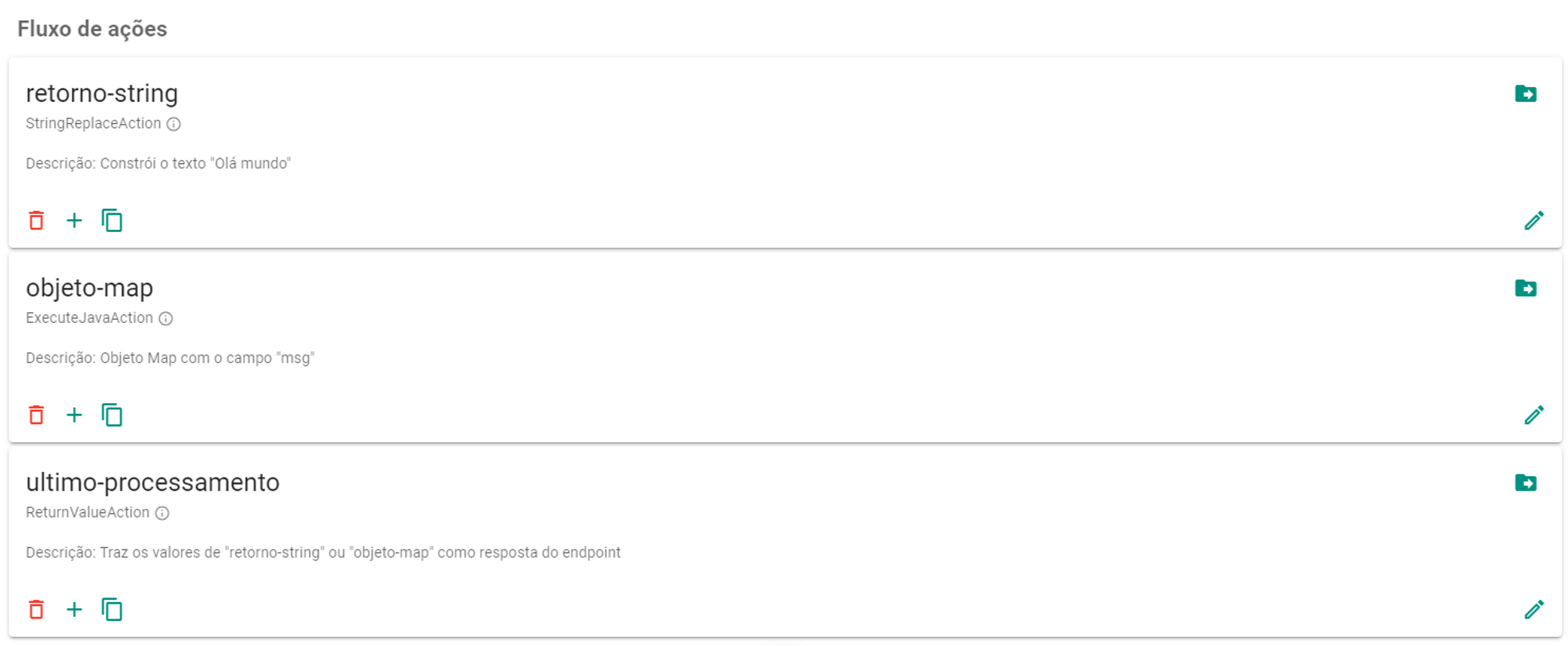
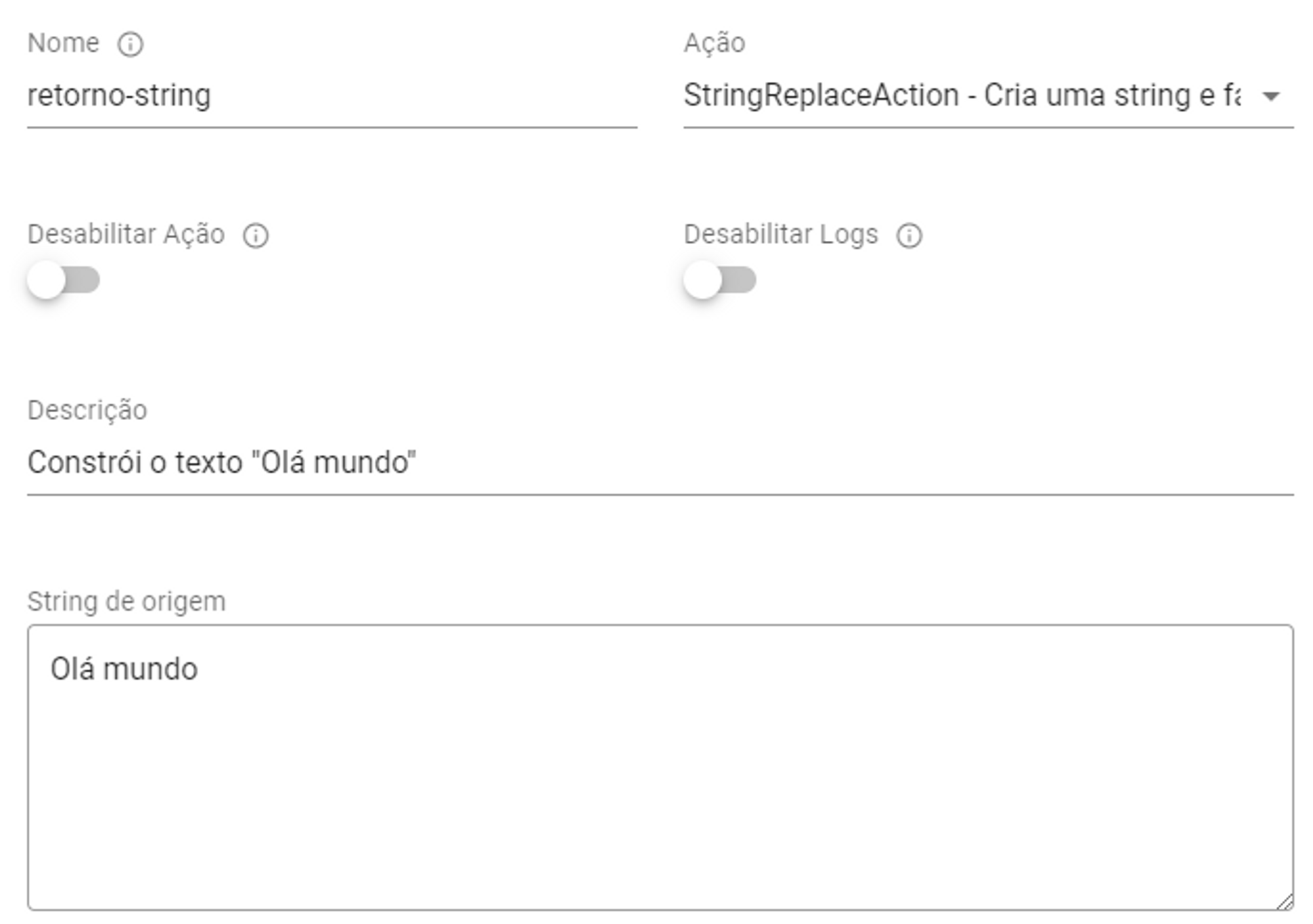
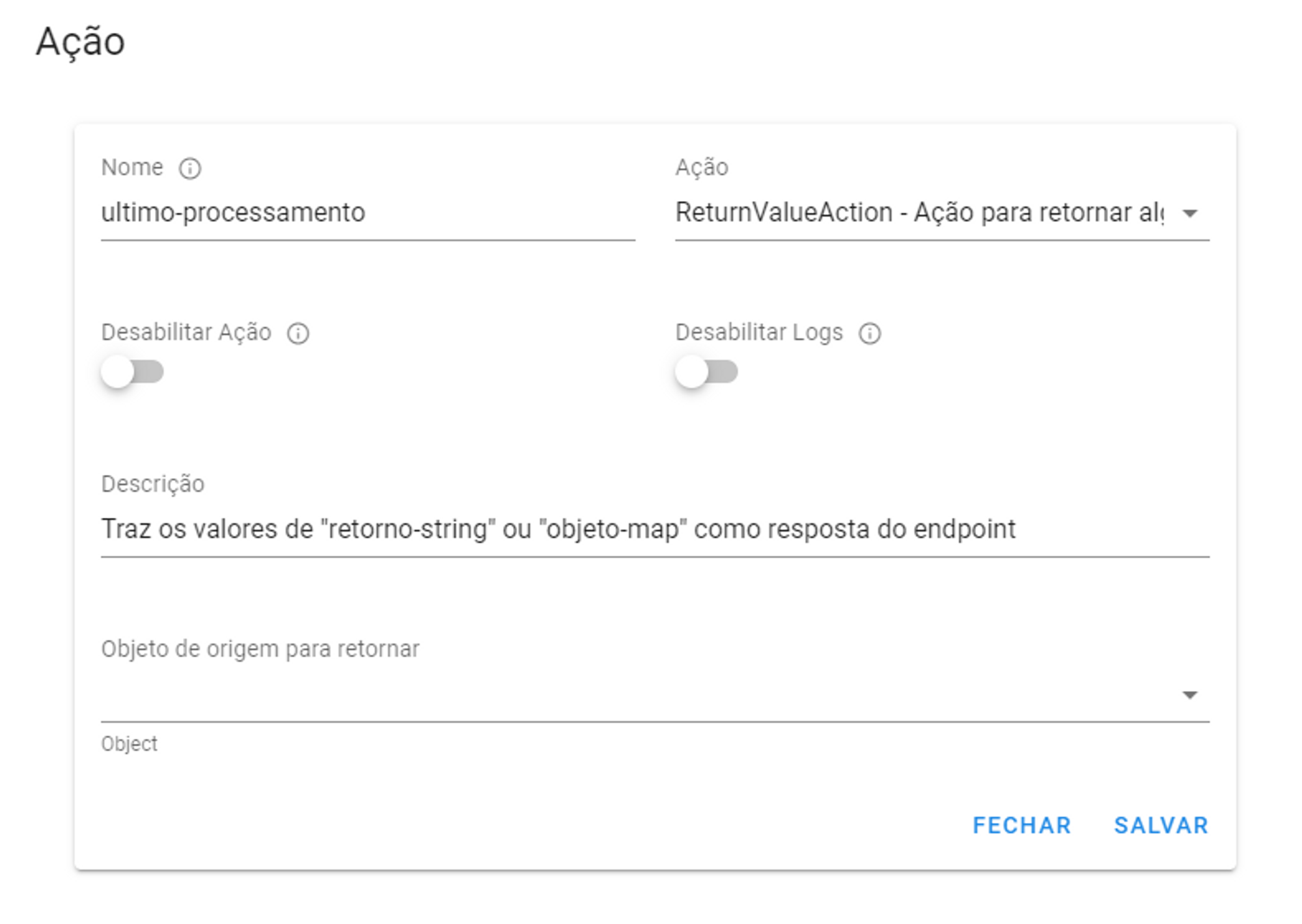
When we call the endpoint with thelast-processing bringing thereturn-string we have the answer:

While if we return a Map as the last value, it is transformed into a JSON:

Error handling with TryCatchAction
THETryCatchAction works similarly toifAction, that is, the execution block where the TryCatchAction for call is interrupted after the end of processing of its Alternative Flow. To continue the integration after the section ofTryCatchAction, it is necessary to use aGoToAction (see section on processing deviations).
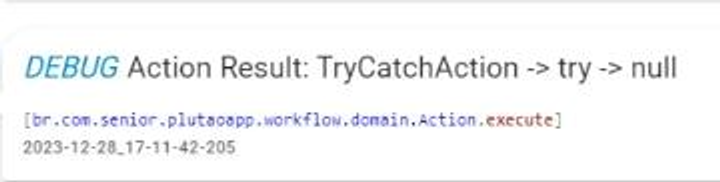
TryCatchAction without errors in your alternative flow, it will returnnull in Action:
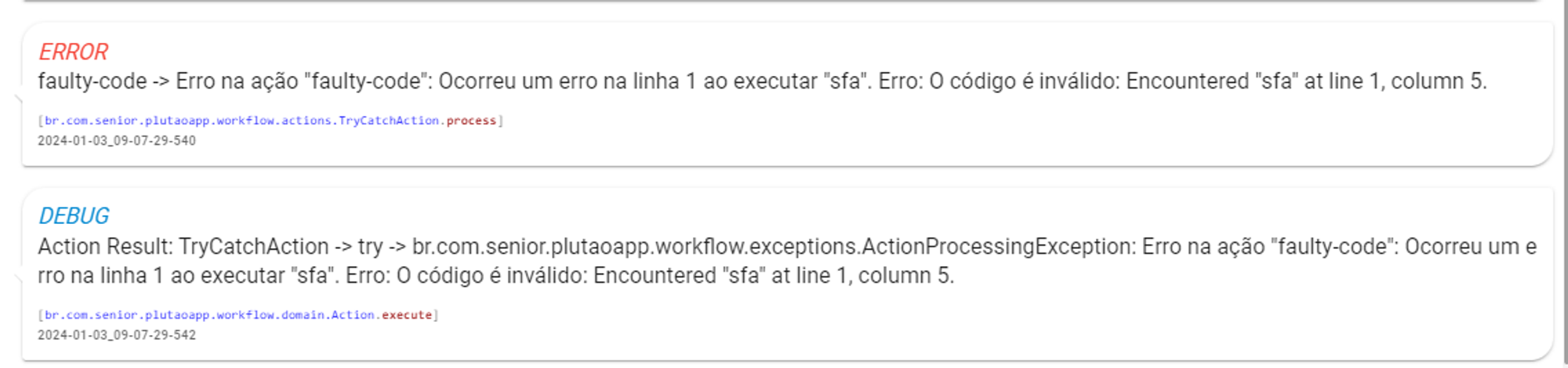
TryCatchAction with errors in its alternative flow, returns the descriptive error message in the log, while the Action itself stores theExceptionObject in Action:
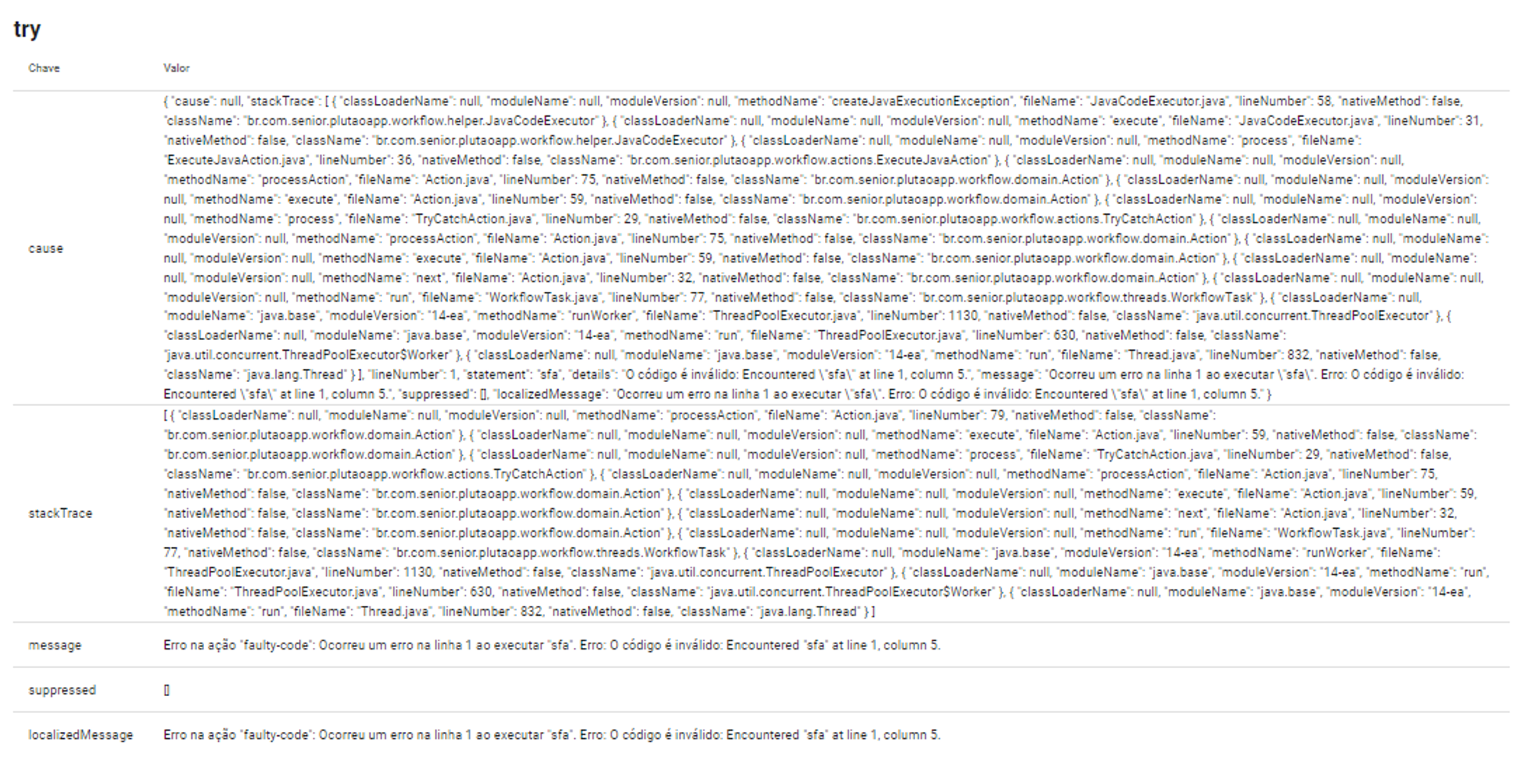
Exception object saved in the try Action, of type TryCatchAction, after an error:
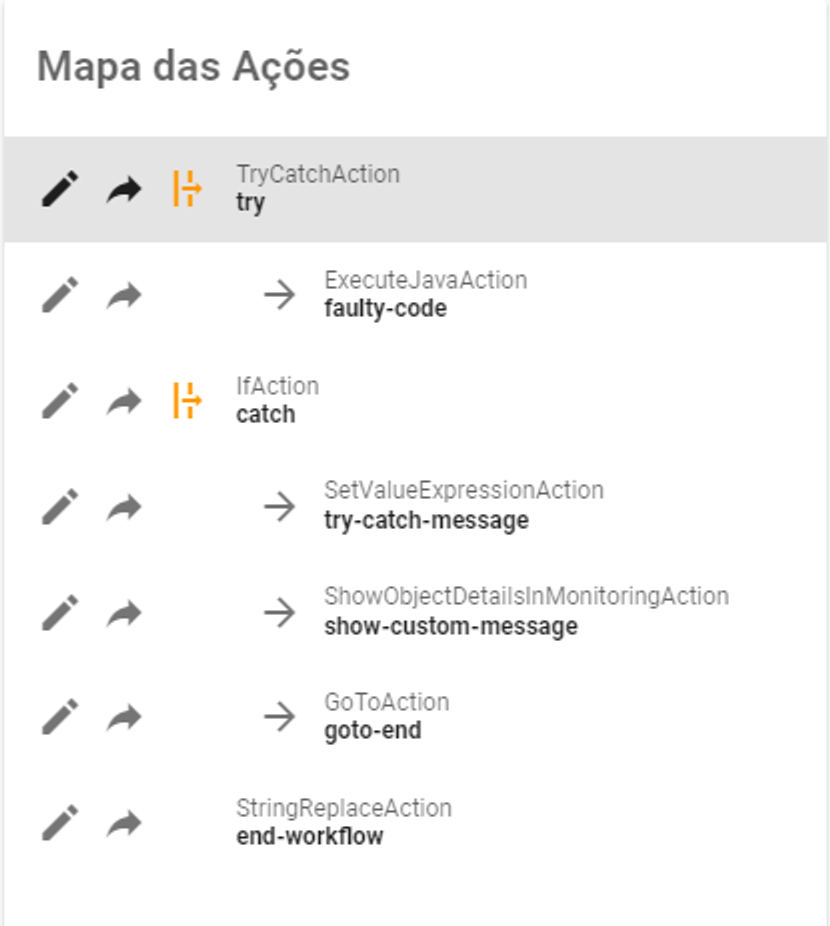
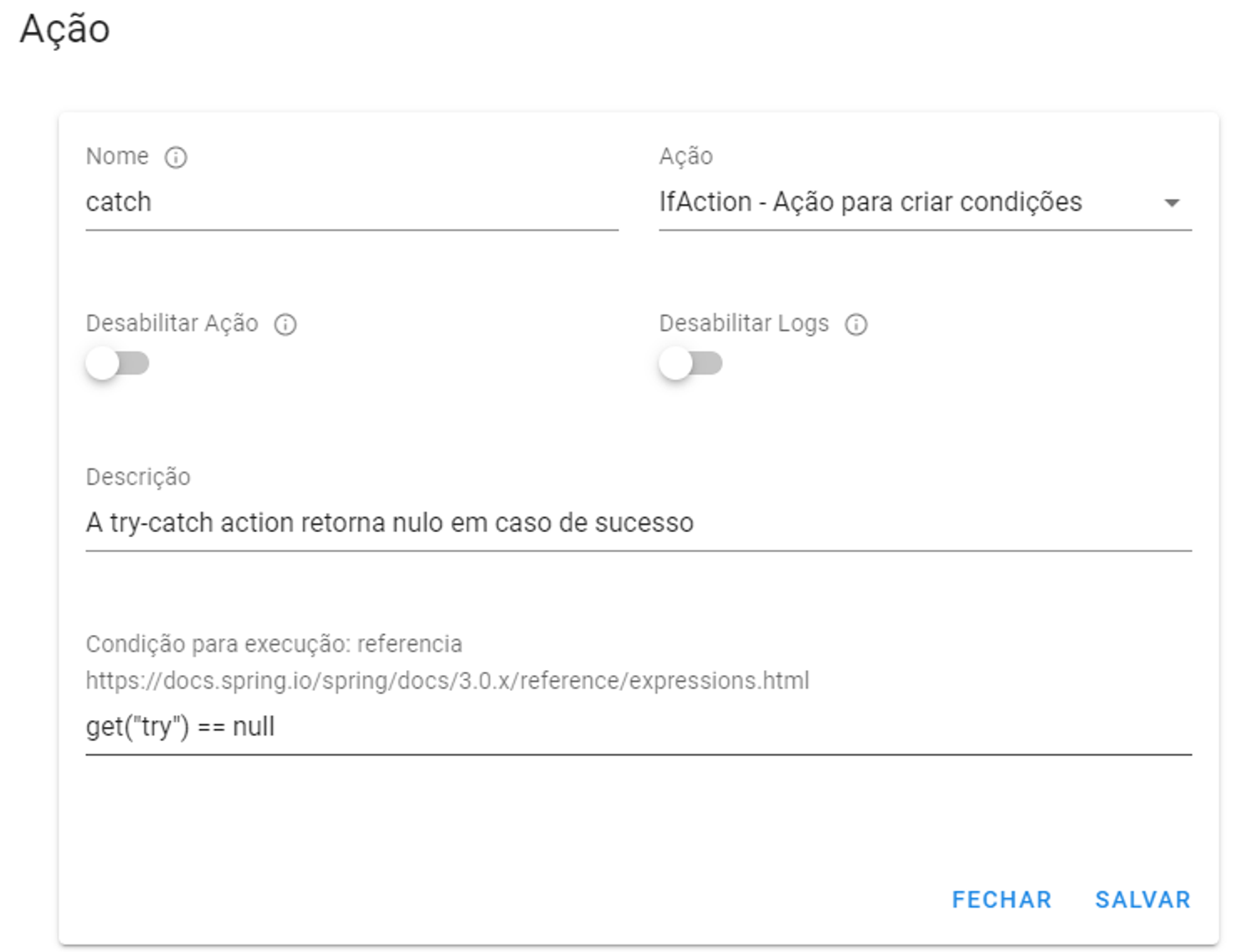
To carry out a treatment of this typeCatch, just use a conditional action (ifAction) right after theTryCatchAction, which will move on if it has returnednull, if it returns anything else, a conditional treatment will be carried out.
Usage example:
Integrations timeout
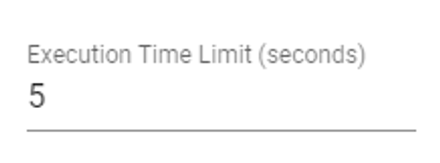
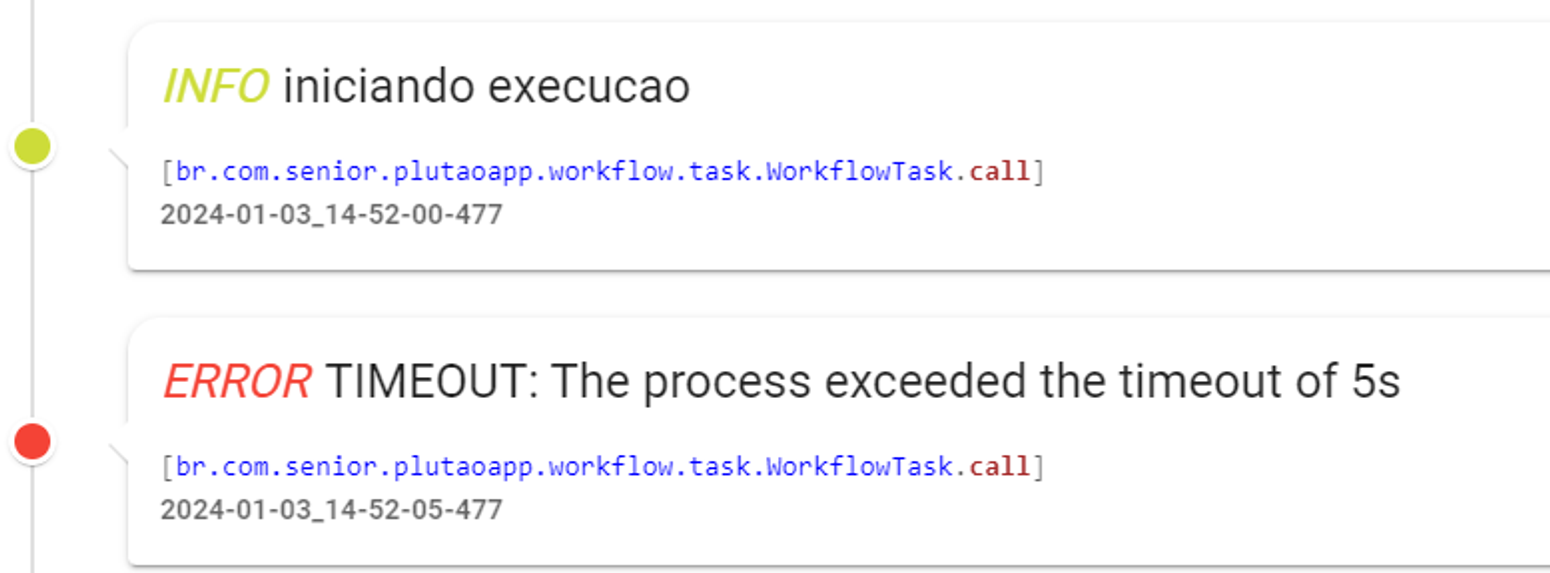
Controlling the execution time of integration processes is crucial, ensuring efficiency and adequate performance in integrations between systems. Timeout configuration in integrationsREST andJOB can be used to define a maximum execution time for integrations, in seconds, ensuring that integrations are completed within the established deadlines or return an error:
Parallelism in Scheduled Streams
In addition to runtime control, flows of the typeJOB has the definition of Simultaneous Executions, allowing you to control the number of processes of these integrations, making it possible for them to be active in cases where the flow execution time is greater than the time between executions. This is an important consideration, as while integrationsREST can receive specific values to be integrated in the request, scheduled flows always start processing with the same state, situations like this can be dangerous, as it would allow another process to start before the previous one is finished.
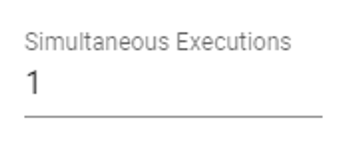
The default value for Concurrent Executions is 1, thus representing the execution of only one process. If a new scheduled trigger occurs during an ongoing execution, the new trigger will be prevented.
Synchronous and asynchronous calls to REST streams
The flowsREST CONNECT can be called synchronously or asynchronously, depending on the URL used. The choice between synchronous and asynchronous processing depends on the specific system needs and performance expectations.

In synchronous calls, the requester waits for the process execution to complete before receiving the response established in the Integration Flow. This usually implies predictable, short or immediate response times, suitable for interactions that need some information obtained in the return of the CONNECT flow.

On the other hand, asynchronous calls allow the request to be sent without waiting for the immediate completion of the process, receiving an “OK” (status 200) immediately after the request.
This approach is valuable for tasks that can take longer, such as batch processing or intensive operations. However, it introduces the need to manage transaction state, dealing with possible timing discrepancies between requests and responses.
Ending ongoing processing
Interrupting an integration flow is essential to deal with unforeseen events, correct errors or make dynamic adaptations in the operational environment, with the aim of avoiding negative impacts due to problems such as communication failures, unexpected changes in data or necessary adjustments to business rules. This intervention capability provides proactive management of the integration system, ensuring stability and continuous efficiency in operations.
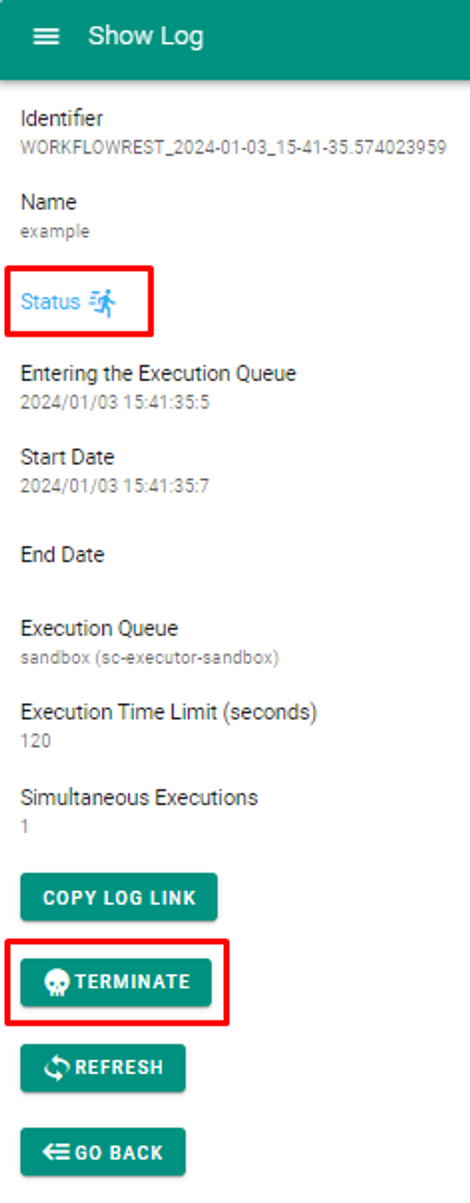
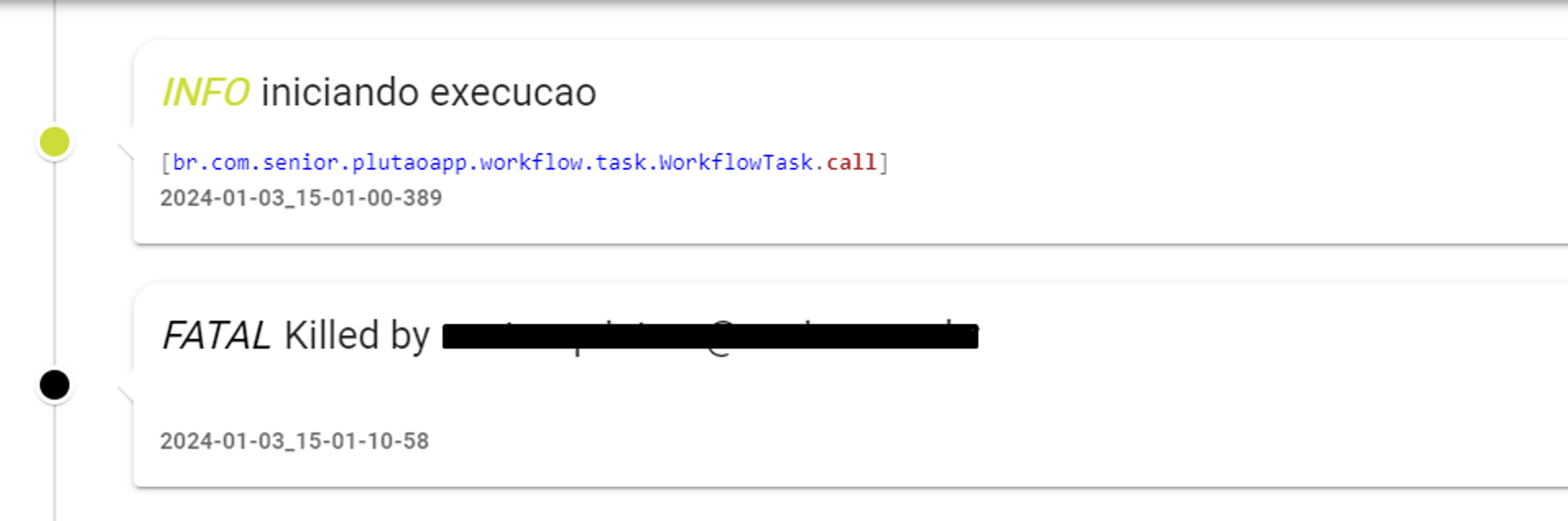
When monitoring any Integration Flow in the state ofIn Progress It is possible to interrupt the execution using the option Close. After processing is interrupted, the monitoring log indicates which user was responsible for the action and closes the flow in a state ofError.
Stream compilation on save
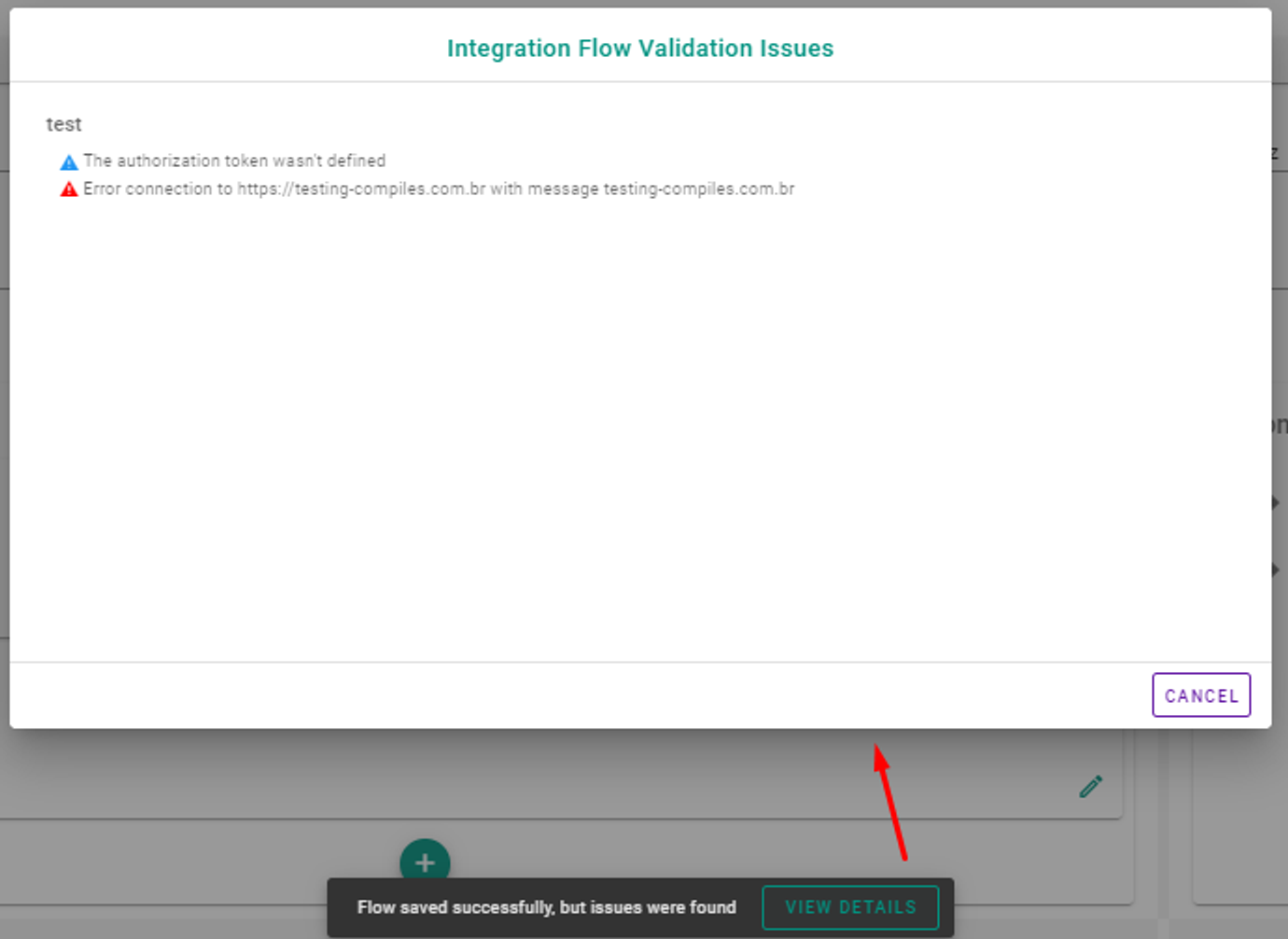
Whenever an Integration Flow is saved, all its Actions are analyzed by the platform. The return of this analysis defines whether the flow can be saved (warnings), or if there is some disallowed configuration - this last case generally reserved for operations in Actions of the typeExecuteJavaAction.