Registering photos for facial recognition
Certain devices perform access control through facial recognition of the person. For this control to be carried out correctly, registering the photos appropriately on the device is important. The guidelines in this guide seek to assist with this process.
Manufacturers of devices approved by Ronda senior X that support this access control format:
Guidelines for registering faces
Requirements
When registering headshots, the following requirements must be met:
- Pupillary distance greater than 60 pixels;
- Angle of deflection up, down, left and right of the person's posture less than 10 degrees;
- Image format being JPG;
- Image size from 60 kB to 200 kB.
Recommendations
Angle: The photos used in registration must be from the front, which can be taken using a smartphone or camera. Do not use a photo from the side.
Surroundings: Look for an environment with enough light for a good photo. Backlighting against the person or a large difference in brightness on either side is not recommended. The background shouldn't be too complex or multi-colored - a white backdrop works best.
Distance: Approximately one and a half meters. Too close or too far can compromise the image.
Person: The photo should only show the person's head and shoulders. The entire head should appear. No other person must be present in the photo;
Props: The person must not wear sunglasses or prescription glasses, caps, masks, helmets, dark lenses or other similar objects.
Common Problems
The issues mentioned below may prevent a photo from being recognized correctly by devices or cause recognition errors and should be avoided:
Blurred images: If the image capture is blurred or blurred, face settings become less accurate.
Low resolution: When the photo has low quality or is very pixelated (checkered);
Distance between eyes: Check the pupillary distance between the two eyes. It must be at least 60 pixels;
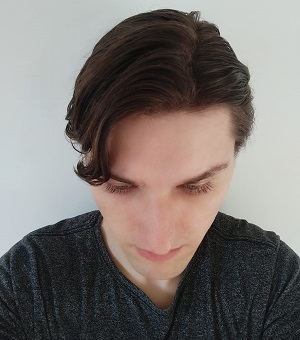
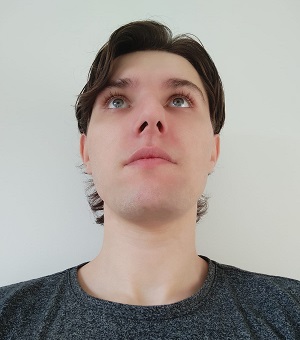
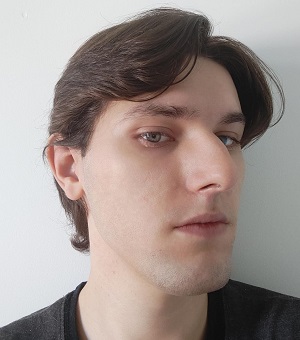
Face angle: It must be less than 10 degrees, so if the photo is from top to bottom or bottom to top, it will not be suitable for recognition;
Backlight and brightness: In photos taken against the light, the face is dark and difficult to recognize. When the brightness is not uniform throughout the environment, one side is more exposed compared to the other, which also hinders identification.
Filters: Photos with software filters or edits have their accuracy affected.
 Photo examples
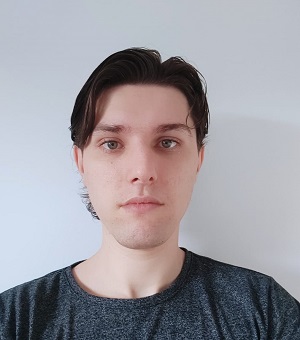
Recommended photo: face facing forward, image with good quality, background without details, uniform lighting and absence of glasses and accessories. |
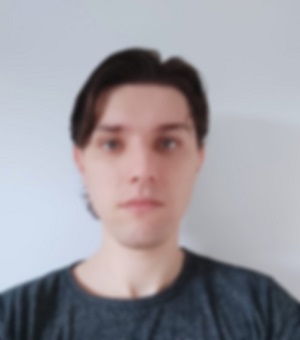
Photo not recommended: blurred image. |

Photo not recommended: low quality. |
|
|
|
| Photos not recommended: angled downwards, upwards or from the side, which does not show the face from the front. | ||
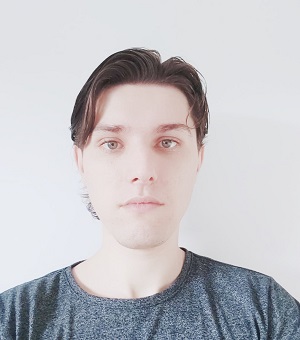
Photo not recommended: very clear, difficult to identify. |
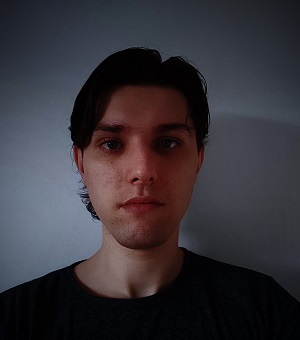
Photo not recommended: very dark, which also makes identification difficult. |
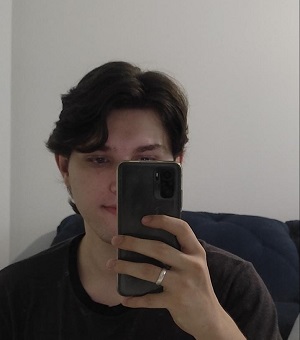
Photo not recommended: face not entirely visible. |
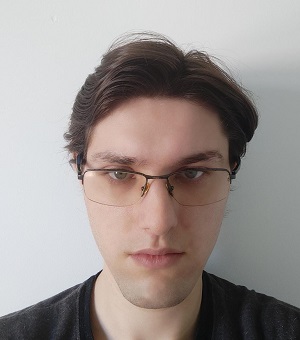
Photo not recommended: using accessory on the face. |
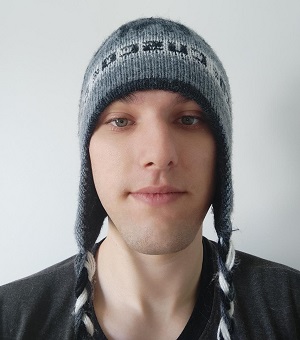
Photo not recommended: wearing an accessory on the head. |
|
The Ronda senior X photo inclusion routine has an image analysis algorithm and can present different results:
- Faceless photo;
- It was not possible to extract biometric details (occurs when, for various reasons, it was not possible to scan the points on the face in the photo);
- The face is too far away or the photo resolution is low;
- Face identified.
If a result other than "Face Identified" is shown, we recommend capturing a new photo following the suggested guidelines.
Authentication Guidelines
During access, when the person authenticates using the device, the following items must be considered:
- The person must be facing the device;
- The person must not wear sunglasses, caps, helmets, or other objects of this type on the head;
- The mask should rest on the tip of the nose instead of covering it completely, so that more of the face is shown during validation;
- You must maintain a distance of 1 to 2 meters from the device;
- Only one face should be shown at a time for validation, with no other people present in the image.





