
Point Cards - My Analytics
Note
- All Analytics cards will be available as peruser permission settings and the card settings in Panels. The information presented considers the application of the filter, multiple contracts (except in the Compensation Management module) and, if applicable, scope.
- For the Remuneration Management module, it is mandatory to registersalary policy for the company and branch of the manager querying the analytics.
These cards are accessed in: Analytics > My Analytics.
Note
The cards will be available according to the version of the People Management | HCM, Point Management module, in which the card wasavailable.
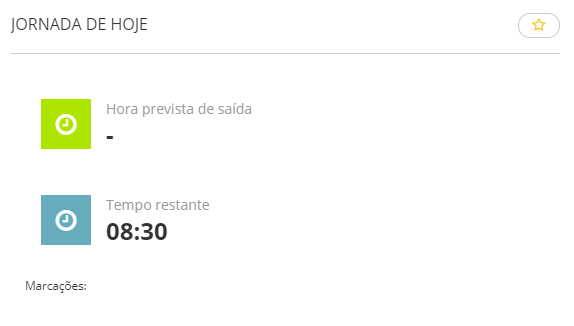
Today's workday
Displays the progress of the worker's workday, such as worked hours and expected time of leave. By clicking on the card, more details about the workday are displayed.
Adjustment pendencies
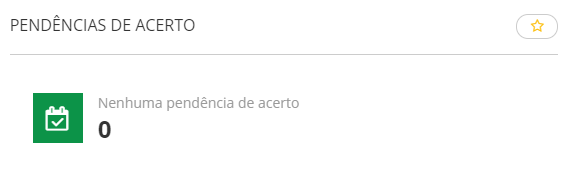
Shows the totals of time adjustment pendencies, adding up the ones pending with Managers and workers and the totals of finished pendencies during the period. When there are any pending adjustments, upon clicking on the chart, you are directed to the screen where the time adjustment may be done.
Hours
Total hours
Displays an hour summary for the period with the following situations: hours worked, hours not worked and overtime hours.
Considered hour types
- Worked hours
- Missing Hours
- On leave
- Overtime
Hours are considered according to the situations definition in the Evaluation situations window (FR060DSI) at: Calculations > Time and Cafeteria Control > Evaluation > Definitions > Situations:
- Absences: all situations of the Absences tab, including complementary ones.
- Overtime: all situations of the Overtime tab, including complementary ones. It also considers Separation situations with complementary ones.
- Work: the Work Situation of the General tab with the complementary one.
- Absences: the Vacation Paid Leave Situation of the General tab.
Hour totalization
- Worked hours: "01 - Working" or "13 - Worked Notice";
- Absences: "15 - Absences";
- Afastamentos:
- "2 - Férias";
- "3 - Auxílio doença";
- "4 - Acidente Trabalho";
- "5 - Serviço Militar";
- "6 - Licença Maternidade";
- "7 - Demitido";
- "8 - Lic. s/ remuneração";
- "9 - Lic. Rem. p/ Empresa";
- "10 - Lic. Rem p/ Funcion.";
- "11 - Licença Paternidade";
- "12 - Férias Coletivas";
- "14 - Atestado";
- "19 - Auxílio Maternidade INSS";
- "21 - Férias Gozadas já Adiantadas";
- "23 - Acidente Trabalho 15 Dias";
- "24 - Maternidade Empresa Cidadã".
- Overtime hours: situations with type "16 - Overtime";
Situations with the "Others" type are not considered in the chart.
Colaboradores considerados
O gráfico e a visualização analítica das horas consideram somente colaboradores ativos. Ou seja, as informações apresentadas não consideram colaboradores que estão demitidos.

Hour bank
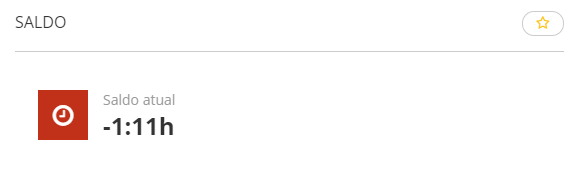
Balance
Shows the number of hours totalized on the last evaluation day of the period. Ao clicar no card é exibido o extrato dos lançamentos do colaborador de acordo com a opção selecionada (positivo ou negativo).
- Positive: number of positive hours in the hour bank balance.
- Negative: number of negative hours in the hour bank balance.
Hour projection
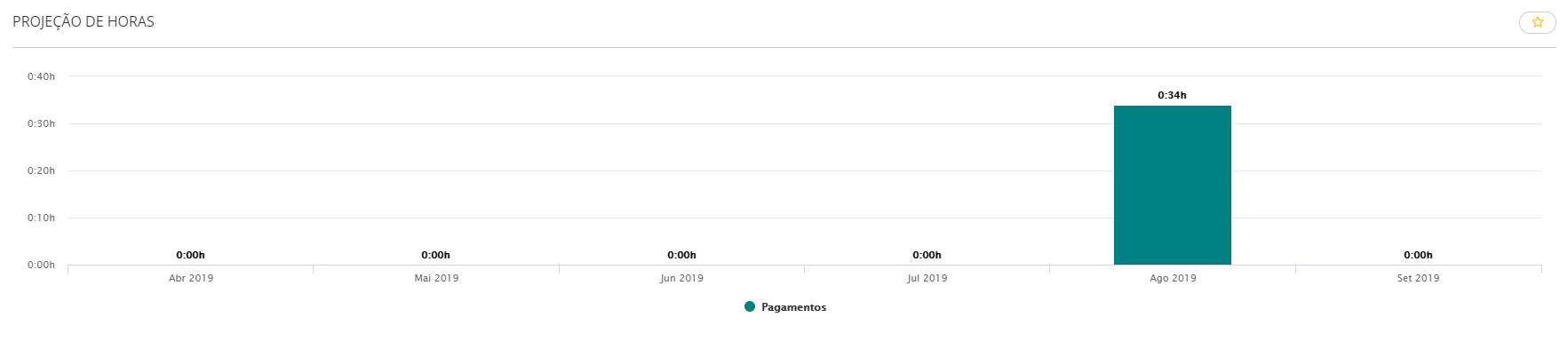
Shows the projection with the total hours to pay and deduct during the next six months, following the hour bank registration parameterization.
Incidents
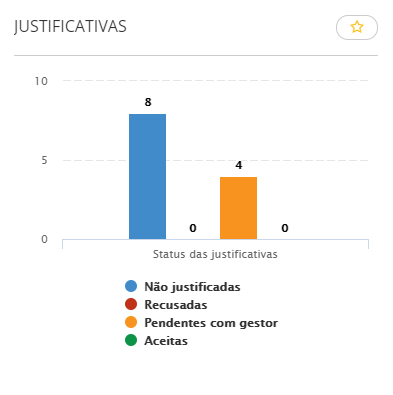
Justifications
Shows the number of incidents generated according to their status: "Not justified", "Pending with manager", "Rejected" and "Accepted".
Note
When the Point Management Cards are used inside the platform, the 404 error occurs. To prevent this error from occurring, access the path:
- Access the Technology menu and then the option fortenant;
- Under Domains and Services, search forHCM;
- Search filter services byPoint, click edit, inform the fields:on-premise frontend url It is On-premise backend URL.
 Examples:
Accessing the URL https://<servidor>/gestaoponto-frontend:
- On-premise frontend URL: https://<server>/gestaoponto-frontend
- On-premise backend URL: https://<server>
Accessing the system through the URL https://<servidor>:8080/gestaoponto-frontend:
- On-premise frontend URL: https://<server>:8080/gestaoponto-frontend
- On-premise backend URL: https://<server>:8080
 English
 Español


