Invitation to visitors
Entrance Management allows invitations to be sent to one or more visitors, via email, when scheduling a visit. There is the possibility of integration with a chatbot, which obtains the person's information and presents the terms of consent, in an automated way.
When entering the invited person's email address, an email will be sent to this address, with information regarding the visit: name of the concierge, date and time of the visit and a link to access the bot.
After clicking on this link, when starting the interaction with the bot, the person will be able to read the data use consent terms and accept or reject them. You must accept the terms to provide the necessary information to register the visit: a document (among the options provided by the bot) and your full name. The system will check through the document whether the person is already registered in the system. If not, a new registration will be created.
After the person's registration is confirmed, they will be registered as a visitor and will be able to check in at the informed entrance.
What you can do:
 Create and configure the bot for use
The bot must be previously created in the Platform's Bot Factory following the model provided. If you want the bot to be used through WhatsApp, an approved provider must be hired and the number provided by that provider must be associated with the created bot.
- Open the senior X Platform > Technology > Administration > Application management screen;
- Create an application with Token generation "Generate a different token for each application session";
- Check theAccess key and thesecret of this application, which will be used later in the bot;
- Open the senior X Platform > Bot Factory screen;
- Click on the buttonNew;
- Select the "Visitor Invitation Round" template;
- Once created, select the "Visitor Invitation Round" bot and clickTo set up;
- On the Bot Response tab, fill in the fields below for each subject (according to the information seen in step
- 3):
- accessKey: application access key
- ;
Important
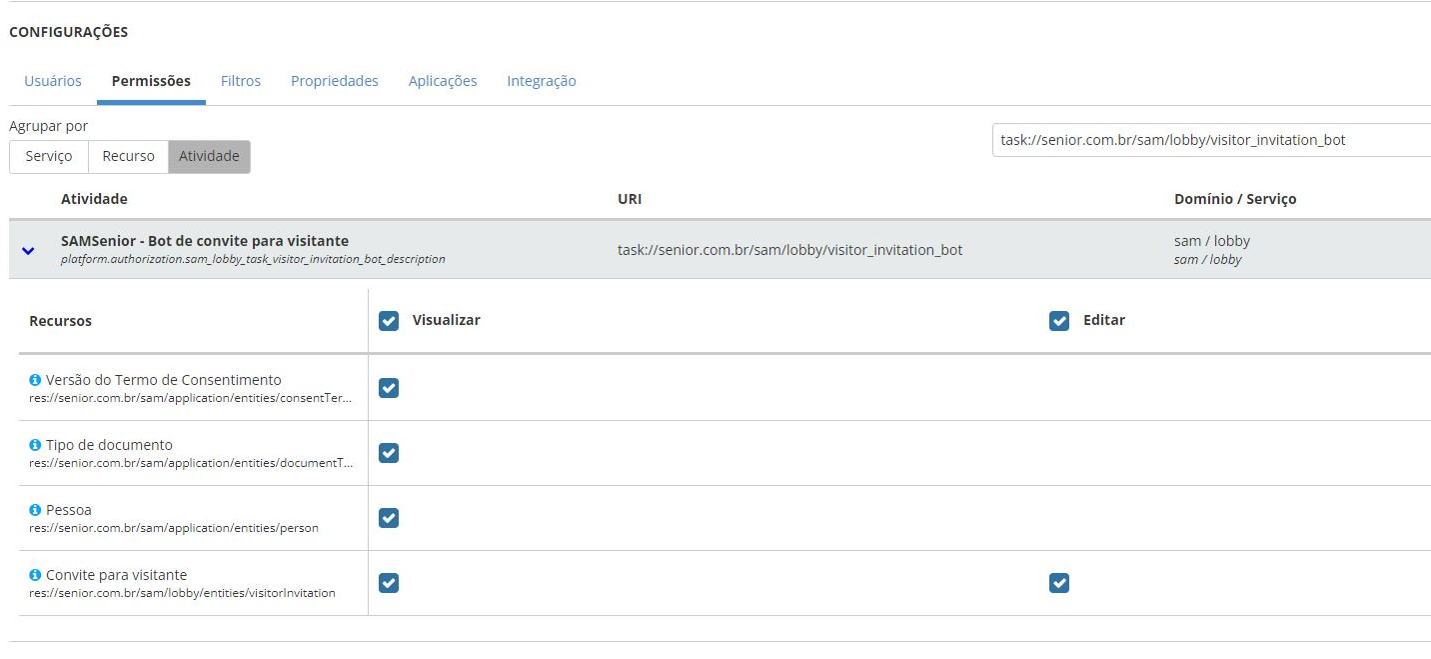
The application must be associated with a role on the platform that has permissions for the activity authorizedSAMSenior - Visitor Invitation Bot.
Note
Do not change the other parameters to avoid affecting the proper functioning of the interaction flow.
For more information about creating bots, visitBot Factory documentation.
Carry out the necessary configurations on the system
To use the guest invitation feature, the following settings are required:
- At theregistration of ordinances, in the fieldLink to Bot, enter a WhatsApp number or web page where the bot can be accessed. This link is mandatory and will be sent by email to the invited visitor;
- In the registration oftypes of visit, select the optionAllows visitor self-registration;
- Still on this screen, register a procedure like "Has consent form" with an associated consent form;
- At thevisit scheduling registration, in the Invitations item, enter the email address of the visitors who will receive the invitation. In the appointment list, these emails can be seen in the columnInvitations;
- Register this schedule. When it is completed, an email will be sent to each address provided in the invitations, with a link to access the bot.
As a result, in the list of visitors to thereception screen, the Invitations tab shows the status of each invitation. Additionally, in the booking details, this Invitations tab shows the guest list and the Visitors tab indicates whether they have confirmed their details through the bot.
Sending credentials to visitors via chatbot
The chatbot can create an access credential for visitors, as long as some conditions are met:
- The registration of visit types for the schedule in question must have the fieldAllows credential delivery via bot marked;
- The registration of the appointment concierge must have the "Barcode" type technology registered;
- The invitation must have been accepted and the registration of the visitor's personal data must be completed;
- The visiting person must not have any mandatory procedures to be carried out on the initial date of the visit.
The credential will be in QR Code format. It will be shown in the bot after confirming the invitation and also sent to the visitor's email.





