
Point Cards - Team Analytics
Note
- All Analytics cards will be available as peruser permission settings and the card settings in Panels. The information presented considers the application of the filter, multiple contracts (except in the Compensation Management module) and, if applicable, scope.
- For the Remuneration Management module, it is mandatory to registersalary policy for the company and branch of the manager querying the analytics.
These cards are accessed at: Analytics > Team Analytics > Time tab.
hit
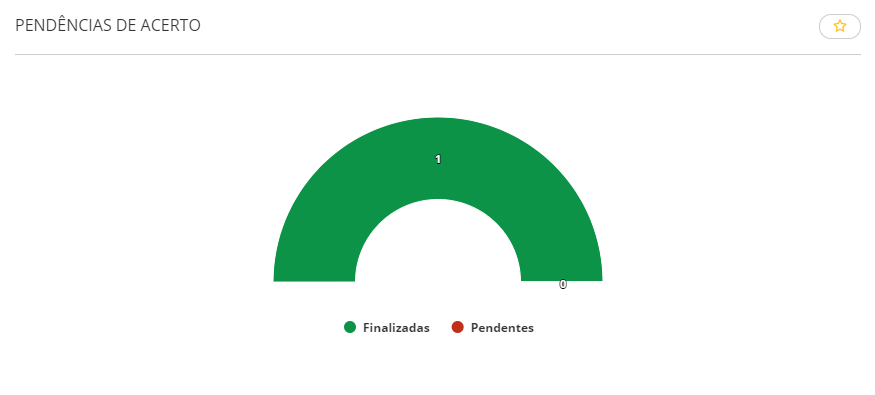
Adjustment pendencies
Shows the totals of time adjustment pendencies, adding up the ones pending with Managers and workers and the totals of finished pendencies during the period. When there are any pending adjustments, upon clicking on the chart, you are directed to the screen where the time adjustment may be done.
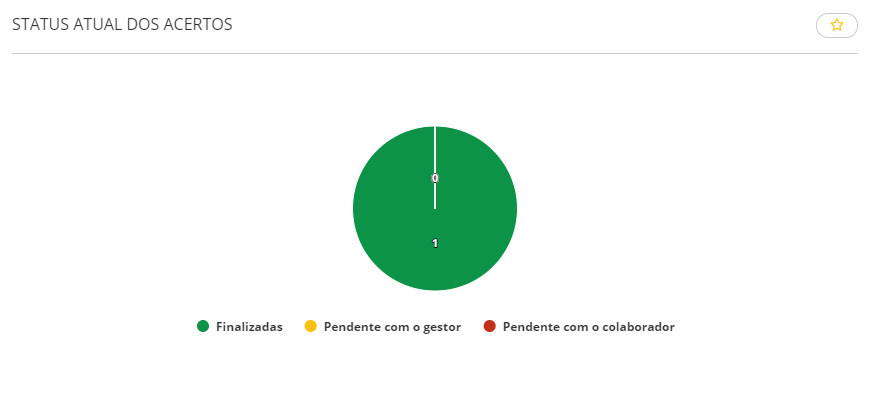
Current adjustment status
Shows the totals of time adjustment pendencies by situation, with the totals of pendencies that are finished, pending with the Manager and pending with the Worker, during the period.
Note
The calculation for the adjustment pendency totals and the adjustment situation may change according to the Time incident management.
hours
Total hours
Displays an hour summary for the period with the following situations: hours worked, hours not worked and overtime hours.
Considered hour types
- Worked hours
- Missing Hours
- On leave
- Overtime
Hours are considered according to the situations definition in the Evaluation situations window (FR060DSI) at: Calculations > Time and Cafeteria Control > Evaluation > Definitions > Situations:
- Absences: all situations of the Absences tab, including complementary ones.
- Overtime: all situations of the Overtime tab, including complementary ones. It also considers Separation situations with complementary ones.
- Work: the Work Situation of the General tab with the complementary one.
- Absences: the Vacation Paid Leave Situation of the General tab.
Hour totalization
- Worked hours: "01 - Working" or "13 - Worked Notice";
- Absences: "15 - Absences";
- Afastamentos:
- "2 - Férias";
- "3 - Auxílio doença";
- "4 - Acidente Trabalho";
- "5 - Serviço Militar";
- "6 - Licença Maternidade";
- "7 - Demitido";
- "8 - Lic. s/ remuneração";
- "9 - Lic. Rem. p/ Empresa";
- "10 - Lic. Rem p/ Funcion.";
- "11 - Licença Paternidade";
- "12 - Férias Coletivas";
- "14 - Atestado";
- "19 - Auxílio Maternidade INSS";
- "21 - Férias Gozadas já Adiantadas";
- "23 - Acidente Trabalho 15 Dias";
- "24 - Maternidade Empresa Cidadã".
- Overtime hours: situations with type "16 - Overtime";
Situations with the "Others" type are not considered in the chart.
Colaboradores considerados
O gráfico e a visualização analítica das horas consideram somente colaboradores ativos. Ou seja, as informações apresentadas não consideram colaboradores que estão demitidos.

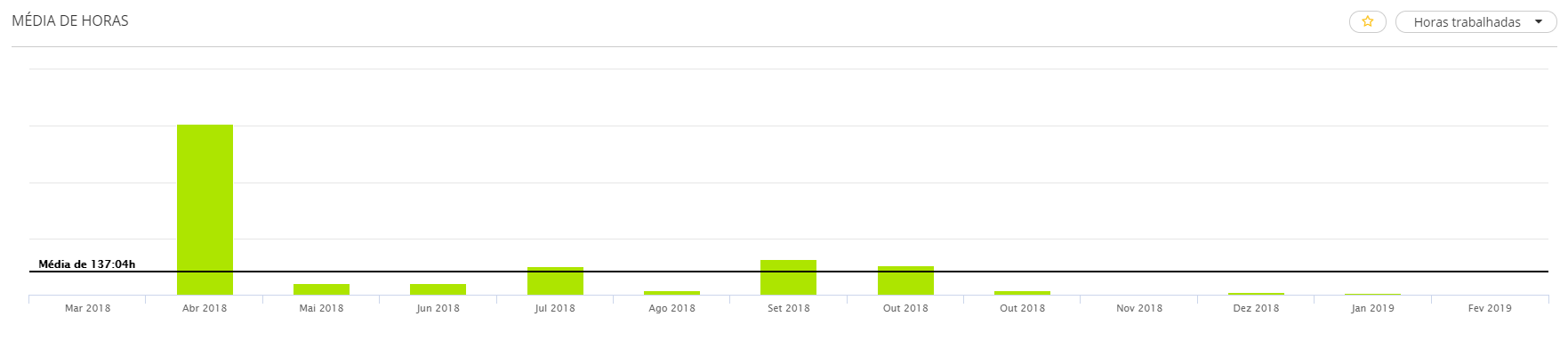
Hour average
Displays the hour average of the latest twelve months, according to:
- Worked hours: situations with the Work type;
- Non-worked hours: situations with the Leave and Absence types;
- Overtime hours: situations with the Overtime type.
Situations with the "Others" type are not considered in the chart.
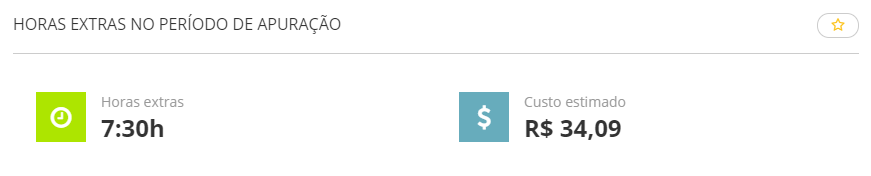
Overtime hours during the evaluation period
Displays the cost of overtime hours of the team in the current evaluation period. The calculation considers the hourly wage value of the worker and the number of overtime hours worked by that worker.
Este card considera as informações dos liderados que:
- estão abaixo do gestor na hierarquia no momento da abertura do gráfico;
- estão ativos (não demitidos) no momento da abertura do gráfico.
Caso algum filtro seja aplicado, ele vai considerar as características atuais do colaborador (cargo, posto de trabalho, etc.).
 Origem das informações deste gráfico:
- Tables > General > Situations (FR010SIT)
- Situation type = 16 - Overtime
annual leave
View information from the cards in the hour or value formats. When the value visualization format is selected, these values represent a preview and may vary according to certain parameterizations and system usage. In this calculation, only monthly- and hourly-based workers are considered.
Balance
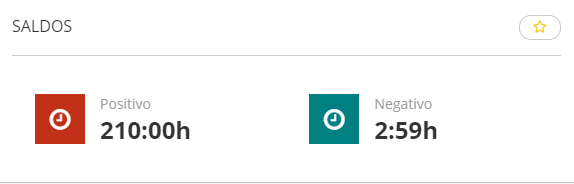
Shows the number of hours totalized on the last evaluation day of the period. Ao clicar no card é exibido o extrato dos lançamentos do colaborador de acordo com a opção selecionada (positivo ou negativo).
- Positive: number of positive hours in the hour bank balance.
- Negative: number of negative hours in the hour bank balance.
Closure
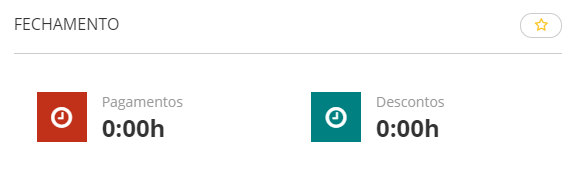
Shows the total number of hours to be payed or deducted on the period maturity.
- Payments: total number of positive entry/overflow hours.
- Deductions: total number of negative entry/overflow hours.
Total payments
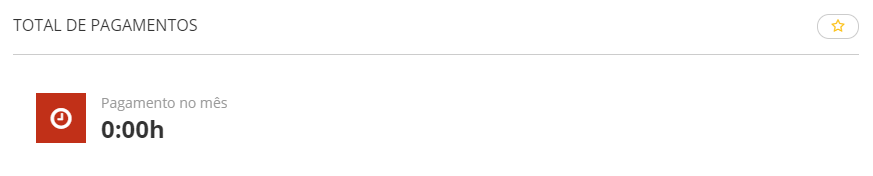
Displays the sum or hours to be paid during the month, according to the hour bank registration parameterization.
Total deductions
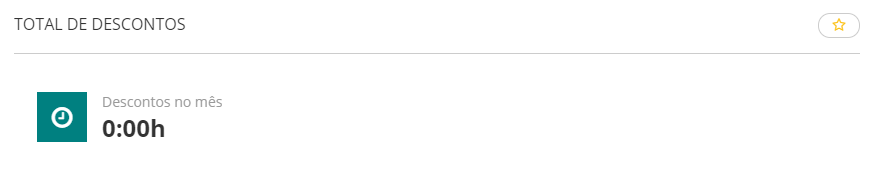
Displays the sum or hours to be deducted during the month, according to the hour bank registration parameterization.
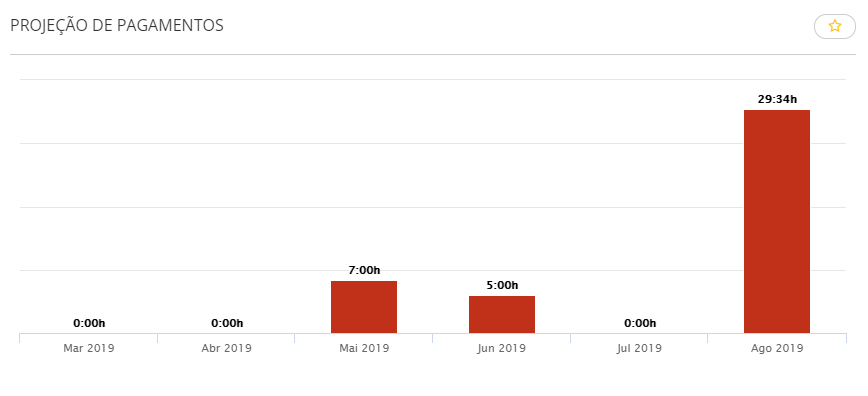
Payments projection
Displays the projection with the total hours to pay during the next six months, following the hour bank registration parameterization.
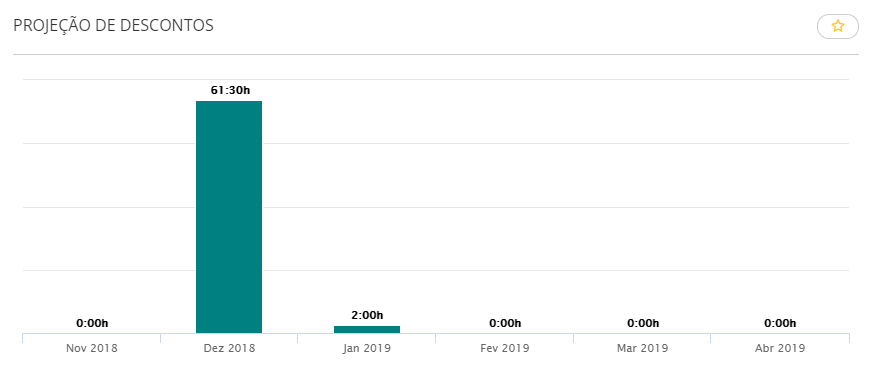
Deductions projection
Displays the projection with the total hours to deduct during the next six months, following the hour bank registration parameterization.
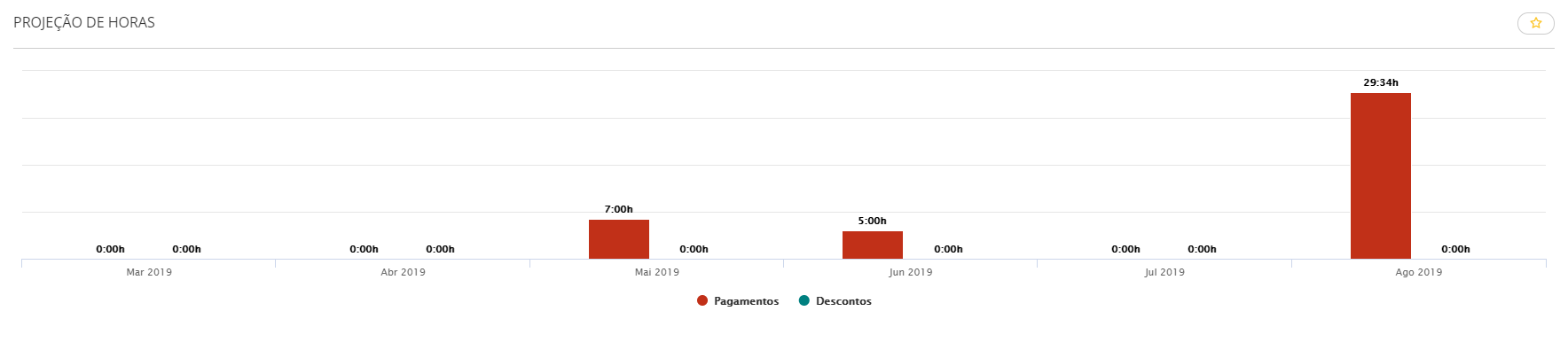
Hour projection
Shows the projection with the total hours to pay and deduct during the next six months, following the hour bank registration parameterization.
Absences
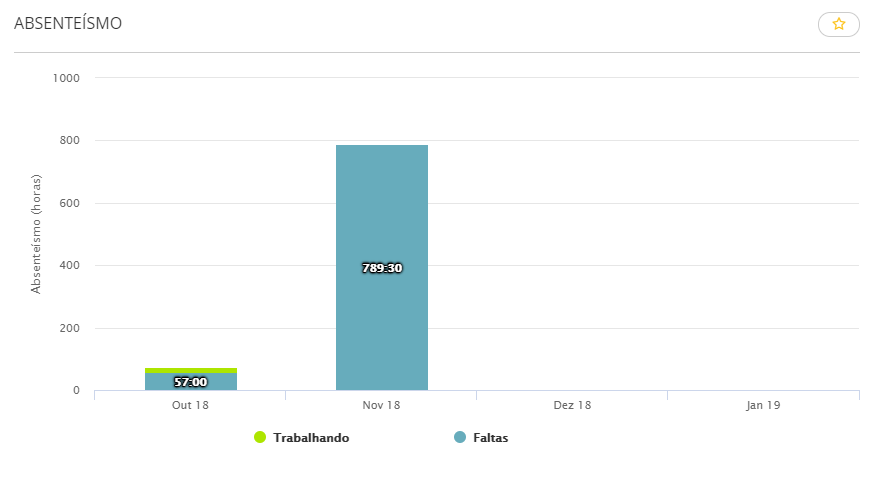
Absenteeism
Apresenta a quantidade de horas faltas no ponto dos últimos quatro meses. Upon clicking on the bar chart, the details of the situations considered as Absenteeism are displayed, grouped by led person.
Este card considera as informações dos liderados que:
- estão abaixo do gestor na hierarquia no momento da abertura do gráfico;
- estão ativos (não demitidos) no momento da abertura do gráfico.
Caso algum filtro seja aplicado, ele vai considerar as características atuais do colaborador (cargo, posto de trabalho, etc.).
Nota
O gráfico exibe as horas com base no período mensal (do primeiro ao último dia do mês) e não no período da apuração do ponto.
Origem das informações deste gráfico:
- Tables > General > Situations (FR010SIT)
- Absenteeism field = 3 - Considers - Unjustified absences, 4 - Considers - Justified Absences (except medical certificate), 5 - Considers - Justified Absences (medical certificate).
- Campo Absenteísmo = Considera todos que possuírem informação diferente de 1 - Não considera para o absenteísmo.
A descrição das situações serão de acordo com o tipo de situação informado no cadastro da mesma.
Incidents
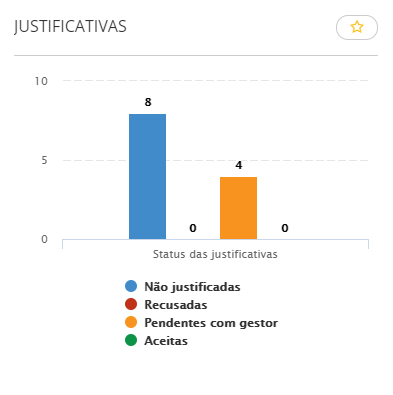
Justifications
Shows the number of incidents generated according to their status: "Not justified", "Pending with manager", "Rejected" and "Accepted".
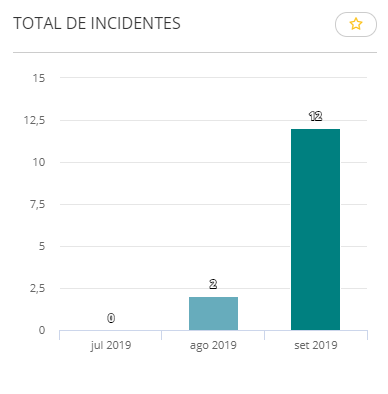
Total incidents
Displays the total number of incidents of the last three months according to the period selected. Upon clicking on the bar chart, incident details are displayed, allowing you to filter them by worker code and name. In the details, use the Adjust button to make time adjustments on the days that have incidents.
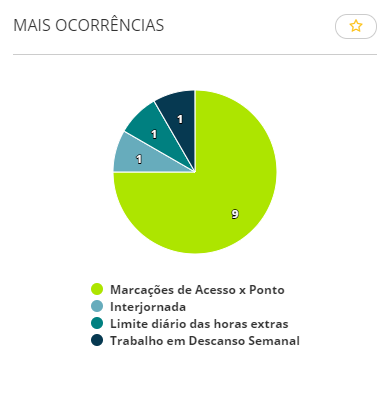
Most occurrences
Displays the list of incident occurrences, showing the five most recurring ones according to the selected period. Upon clicking on the chart, you can view the list with all occurrences and sort it by worker, total of items or incident. In the details, use the Adjust button to make time adjustments on the days that have the incident selected on the chart. Also in the chart, by clicking on the legend entries, incidents to be displayed can be checked or unchecked.
 English
 Español


