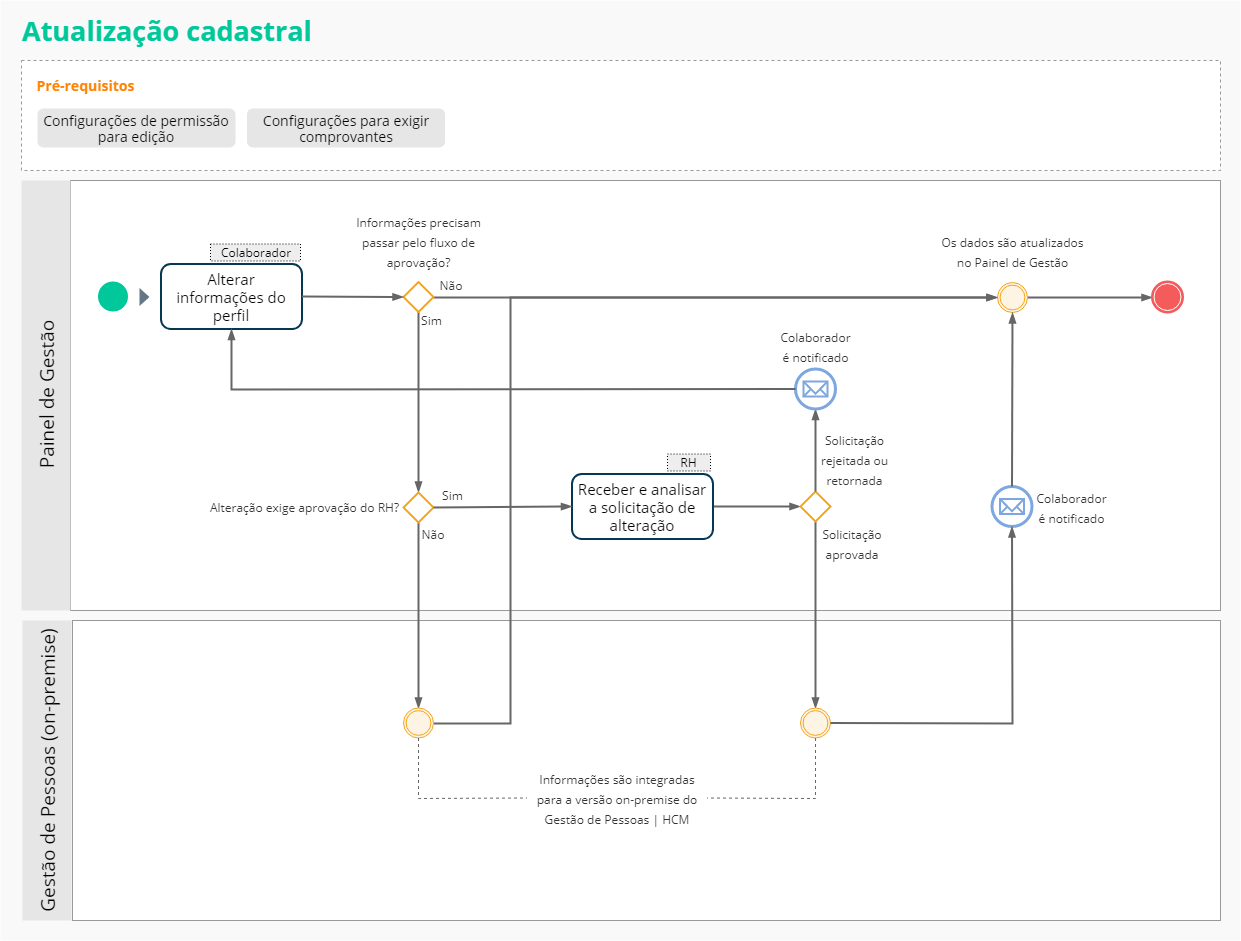
The cadastral update is one of the features of the Management Panel that allows thecontributor maintain your personal profile It iscomplete professional It isupdated.
This optimizes the work of the HR sector, mainly for issues of legal requirements such as theeSocial. It also allows the Worker to attach digitized documents which demonstrate the proposed changes.
The registration update process begins when the employee changes information that is part of the menuProfile.
Depending on which information was modified, the data will be automatically updated on the Management Dashboard or sent to an approval sequence.
To carry out the registration update, it is necessary that the permission resources are correctly configured on the Role Management screen of the senior X platform.
Setting permissions is typically done only once, at module deployment time. But the system administrator can change it at any time if necessary.
To find out how to configure permissions on the platform and see the list of resources that belong to the Management Panel,Click here.
In the Registration Updates section of thegeneral settings HR can:
If the company has more than one person responsible for the Workers' registration requests, the Allow user to approve his/her own request option prevents users with the HR role from approving their own requests.
This is done on this same screen, by checkingAllow user to approve own request, in the general settings section.
Employees can change their own information by accessing the Management Panel > My Profile menu screens.
Depending on which information was modified, the data will be automatically updated on the Management Dashboard or sent to an approval sequence.
The items belowdo not require approval and, when changed by the employee, are immediately updated in the Management Panel:
The data below can be sent toHR approval, depending on the settings made by the company:
Note
In the mentioned processes, some fields may be blocked according to the parameterizations of the company, preventing Workers from making changes. In this case the worker will not receive the compensation.
Upon requesting a course inclusion, edit or deletion, you must wait for the return about the progress with the notification icon . The return will be presented by the platform notification icon
The collaborator can consult the status of the request through the notification or in the profile itself:
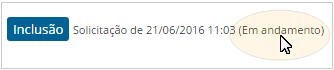
These are the possible situations and what they mean:
| Time interval for the execution of the change requests synchronization. | |
|---|---|
| Situation | Description |
| Approved | Moods unattached to the Management Dashboard |
| Rejected | The request was rejected by HR and no changes are made. |
| Returned for adjustments |
Name of the group which the worker belongs to; In this case, are cleared:
|
| In progress | In process: the request is waiting for an integration with the external system before updating the data. If the integration succeeds, the data will be updated. |
| Integration error | Integration error: and error occurred during the synchronization of information with the eternal system. In this case, the employee's data is not updated and it is necessary to contact the system administrator or the IT area of your company. |
Note
The employee cannot change a request while it is in the approval process by HR.
When the employee changes some information that depends on approval, the HR professional must access the list of requests to deal with them.
The list can be accessed from the following locations:
From the request screen, HR can consult:
When taking on and evaluating a request, the HR professional needs to:
Notes
In some cases, the changed information goes through integration with the on-premise version of the system:
Notes