 English
 Español

AGR0760 - Item x Variety
After we harvest a crop in a certain area and go through the weighing process, the harvested crop/variety becomes a product. This transition between what was harvested and which destination product it will become, will be parameterized on the AGR0760 screen.
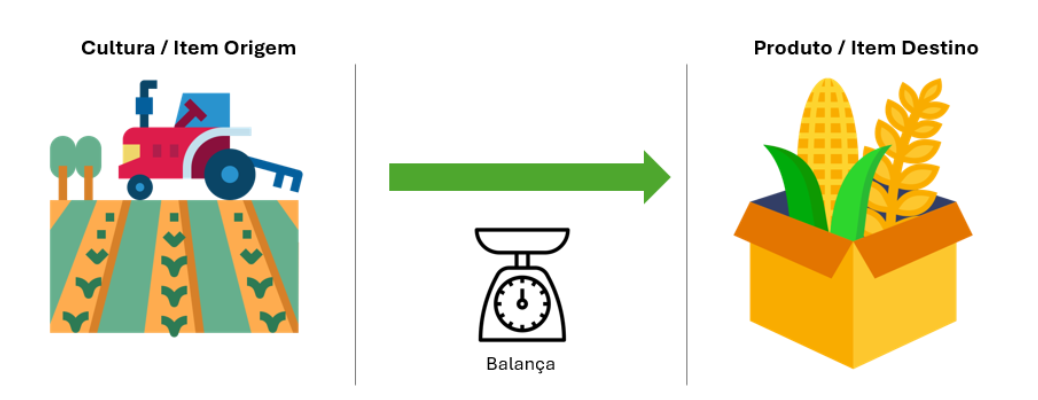
The AGR0760 (Item x Variety) page aims to establish a link between Itens (ADM0034) that participate in the Pesagem (BAL0105) process.
Important
The registration of the AGR0760 page depends on the registrations performed on pages Unidade Produtora (ADM0012), Item (ADM0034) and Variedade (AGR0039)
What can you do?
The registration consists of creating a Crosswalk of Items, considering the origin item, and its variety resulting in a destination item and/or product. Thus, after the Weighing process, the Item that will be sent to the ERP from the Integration will be the Item parameterized as Destination Product.
- Access the menu Agricultural > Crops > Item x Variety (AGR0760);
- Click on Add ;
- Fill in the fields:
- Production Unit: mandatory. Retrieves the Production Unit records registered on page ADM0012 (Unidade Produtora) . once filled in, the field controls to which Production Unit the link between Items (Crosswalk) will be applied;
- Origin Product : mandatory. Retrieves the records from page ADM0034 (Item) . This field will be compared with the Item selected during the Pesagem (BAL0105) process;
- Variety: mandatory. Retrieves the records from page AGR0039 (Variedade);
- Destination Product : mandatory. Like the Origin Product field, this field retrieves the records from page ADM0034. After weighing is performed, the record selected in this field will be sent in the Integration process. If the parameter Enable Configuration by Destination Type on screen AGR0760 - Item x Variety is enabled, this field will not be shown in the Basic Information tab, and the Destination tab will be enabled;
- Description: mandatory and free text. The field will represent the description/identification of the product;
- Start Date: mandatory. Represents the start of validity of the link created in this registration;
- End Date: optional. When filled in, it represents the end of validity of the link created in this registration. When not filled in, it results in a registration that will always be valid;
- Click on Save .
If the parameter Enable Configuration by Destination Type on Screen AGR0760 - Item x Variety is enabled, the Destination tab will be visible and enabled for configuration. Since the Destination product” column will no longer be available in the basic information tab, destinations will be defined by the parameterization of this tab.
After saving the Informações Básicas screen for the first time, the Destination tab will be made available and has a grid that is populated once destinations are added.
-
Click the Add button;
-
Fill in the fields:
- Destination Type : Mandatory. This field provides default values, pre-established that are native to the system, the options are described below and must be chosen according to the destination of the item being weighed and its characteristics.
- Grain;
- Seed;
- Silage ;
- Snaplage;
- Destination Product :Mandatory. Like the Origin Product field, this field retrieves the records from page ADM0034. After weighing is performed, the record selected in this field will be sent in the Integration process;
- Default : It is a marker that must be activated only when this is the main destination of the crop. Only one destination product can have this marker activated;
It is possible to add multiple destination products for different destination types and it will never be possible to add the same destination type for two destination products, for example.
- Destination Type : Mandatory. This field provides default values, pre-established that are native to the system, the options are described below and must be chosen according to the destination of the item being weighed and its characteristics.
-
Click on Save .
After completing the registration, for the link between Items to be actually implemented, it is necessary to enable the parameter Enable Item x Variety present on the Tela de Pesagem (BAL0102) page.
If the parameterization needs to be done by allocation type, the parameter Enable Configuration by Allocation type on screen AGR0760 - Item x Variety must be enabled. This way, on screen AGR0760 in the Destinations tab it will be enabled.
 English
 Español

