 English
 Español

AGR0018 - Distance
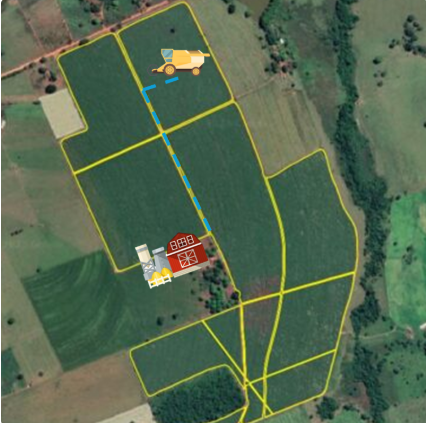
In the context of agricultural management, the distance registration allows recording the distance between productive areas (such as plots registered on the Local (AGR0023) screen and important reference points, such as the scale or other destination locations defined by the customer.
This information is essential to support logistic calculations, especially related to freight and transportation costs, directly impacting for example the Pagamentos module.
The registration is performed on the Distância (AGR0018) screen, where distances can be recorded by ranges, according to the strategy adopted by the customer (e.g.: 0–5 km, 5–10 km, etc.).
Later, these distance ranges can be associated with each productive area in the “Distances” tab of the locations registration, accessed through the Local (AGR0023) screen.
Below is an example of a distance to be considered in freight payment.
Important
The screen requires previously registered information from the producing units (ADM0012).
The information registered on the Distância (AGR0018) screen can be used on the Local (AGR0023) screen, associating distances to a plot through the “Distances” tab.
What can you do?
- Access the menu Agricultural > Location Structure > Distance (AGR0018);
- Click on Add ;
- To perform the registration, you need to fill in the fields:
- Code: mandatory field. Code of the distance that will be registered, field can be composed of numbers and letters;
- Producing Unit : association of a producing unit, registered on the ADM0012 screen;
- Description: mandatory field. Description of the distance that will be registered;
- Abbreviation: mandatory field. Abbreviation of the distance that will be registered;
- Asphalt (km):
- Outbound : quantity in kilometers of this distance on the outbound trip that is paved.
- Return : quantity in kilometers of this distance on the return trip that is paved.
- Dirt (km) :
- Outbound: quantity in kilometers of this distance on the outbound trip that is dirt road.
- Return: quantity in kilometers of this distance on the return trip that is dirt road.
- Average (km) : The system itself will perform the average calculation.
- Asphalt (km):
- Click on Save to register the registration.
 English
 Español

